


Server room environmental monitoring: what to measure and how to choose a system
Most server room outages that are not caused by hardware come from the environment: an AC unit that stops, a door left open, a leak from a pipe or a power cut nobody noticed. A monitoring system turns each of those into an alert while there is still time to act.
What to monitor and why
- Temperature: the first sign that cooling has failed. A small room can heat up quickly once the AC stops.
- Humidity: too high brings condensation, too low brings static. Both are worth an alert.
- Doors: who opened the room and when, and a warning when a door stays open and lets the cold air out.
- Water: AC condensate, pipes and floods. Water under a raised floor goes unseen until it reaches the cables.
- Power: a cut on the room feed or on the AC line, so you know whether the UPS is carrying the load.
Where to place the sensors
Put temperature and humidity sensors at the front of the racks, where the servers take in air, and one more near the AC return. A single sensor on the wall tells you little about what the equipment breathes.
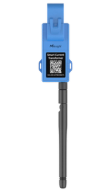
Door contacts go on the room door and, if needed, on the rack doors. Leak sensors go at the lowest point: under the raised floor, under the AC unit and below any pipe that crosses the room. The current clamp goes on the feed you want to watch, in the electrical panel.
Wireless sensors or a monitoring appliance?
The usual approach, used by brands such as AVTECH Room Alert, Vertiv Geist, APC NetBotz, AKCP or HW group, is a monitoring unit in each room with wired probes. It works well for a single room with network access next to the rack.
Wireless LoRaWAN sensors fit when there are many small rooms, when running cables is a problem, or when you want every site in one place. The sensors run on batteries, one gateway covers the building, and all rooms report to the same platform.
| Appliance per room | Wireless sensors + platform | |
|---|---|---|
| Installation | Wired probes to a unit in each room | Battery sensors, one gateway per building |
| Many sites | One unit to manage per room | Every room on one platform |
| Best fit | One larger room with network at the rack | Many small rooms, closets and branches |
Alerts that reach someone at night
Each alert can go by email, SMS, WhatsApp, voice call or push notification in the iOS and Android app. Set thresholds per room, choose who is notified, and use a voice call for the alerts that cannot wait until morning, such as high temperature or water on the floor.
Many rooms, one view
Companies with branches and IT service providers see all their rooms on one map, with each site's history. Service providers and integrators can offer it under their own brand with the white-label option.
The platform runs on AWS (Frankfurt for Europe, United States for the rest of the world) or on your own servers. Sensors connect through LoRaWAN network servers such as The Things Stack, LORIOT, ThingPark X, ChirpStack or Helium, and other equipment can send data over MQTT or HTTP.