



Heat pump fleet monitoring for installers: how to watch every unit, whatever the brand
An installer or maintenance company that has fitted heat pumps for years ends up with a mixed fleet: several brands, several models and customers who call when the house is already cold. Remote monitoring turns that call into an alarm you get first, with the data to know what to bring to the visit.
Why one view for a mixed fleet
Manufacturers offer their own cloud services, such as Daikin's, Panasonic Aquarea's or Samsung's. They are useful, but each one is built for its own brand. An installer with units from three manufacturers ends up with three portals, three sets of logins and no common list of alarms.
A brand-independent platform puts every installation in the same place: one map, one list of alarms, the same history for every unit and the same way of notifying technicians. The manufacturer's tools stay available for brand-specific settings.
Modbus or external sensors?
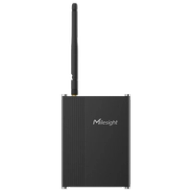
Where the unit exposes Modbus, usually through the manufacturer's Modbus interface or accessory, our edge software gateway reads its values and fault codes and sends them to the platform over MQTT. Where the unit's Modbus interface allows it, setpoints can also be written. We do not connect to the manufacturers' clouds.
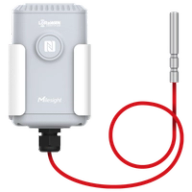
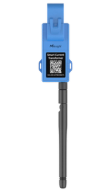
Where there is no Modbus, or you do not want to touch the unit, wireless sensors do the job: temperature probes on the supply and return pipes and a current clamp on the outdoor unit. They do not read fault codes, but they show whether the unit is running and heating as it should.
| Modbus through the edge gateway | External wireless sensors | |
|---|---|---|
| What you get | The unit's own values and fault codes | Water temperatures and compressor current |
| Requirement | A unit with a Modbus interface | Works with any unit, of any brand |
| Best fit | Newer or commercial units | Older units and mixed residential fleets |
What alarms catch
- Faults: fault codes reported by the unit over Modbus, so you know what failed before you leave.
- Unit stopped: the outdoor unit stops drawing current when it should be running.
- Not heating: supply water temperature stays low, or there is almost no difference between supply and return.
- Short cycling: the compressor starts and stops too often, a sign of a sizing, setting or flow problem.
- No data: an installation that stops reporting, which can mean a power cut or a communication problem.
Each alarm can go by email, SMS, WhatsApp, voice call or push notification in the iOS and Android app. You choose thresholds per installation and who is notified.
A portal for each customer, with your brand
Each end customer can have access to their own installation only, from the web or the mobile app. With the white-label option the platform carries your company's brand, not ours, so the service is yours.
The platform runs on AWS (Frankfurt for Europe, United States for the rest of the world) or on your own servers. Wireless sensors connect through LoRaWAN network servers such as The Things Stack, LORIOT, ThingPark X, ChirpStack or Helium, and other equipment can send data over MQTT or HTTP.
How to start with a few installations
Pick a handful of installations: some with Modbus and some without, ideally the ones that give you the most calls. Connect them, set the first alarms and see what you learn in a few weeks. Then add the rest of the fleet and open the portals to your customers.
If you want to offer remote monitoring as a service under your brand, see the LoRaWAN platform for integrators.