

Alerts and Alarms
The Gear Studio platform allows you to define alerts that trigger when the values of certain variables exceed defined thresholds. Alarms, on the other hand, are conditions that indicate a problem and can occur for different reasons, including alerts. In other words, alerts generate alarms when measured values fall outside established thresholds, but alarms can also be generated for other reasons, such as device malfunctions, connection errors, etc.
Alerts
Alerts are applied to endpoints and allow you to define acceptable value ranges so that alarms are automatically generated when values fall outside these thresholds. To set up an alert, use the alerts screen, where you select the alert type, the endpoint it will apply to, the threshold value, and optionally, a minimum duration the condition must persist before the alert generates the corresponding alarm.
Normal Value
It is also possible to define a second threshold for the alert to clear. This allows establishing a hysteresis value to prevent the alert from triggering frequently when the endpoint value fluctuates near the threshold. For example, you can set a high temperature alert with the threshold at 60 degrees and a normal threshold of 55. This will cause the alert to trigger when the value exceeds 60 degrees and clear only when the temperature drops to 55 degrees. The alert will remain active from the time the temperature exceeds 60 degrees until it drops to 55.
Alert Severity
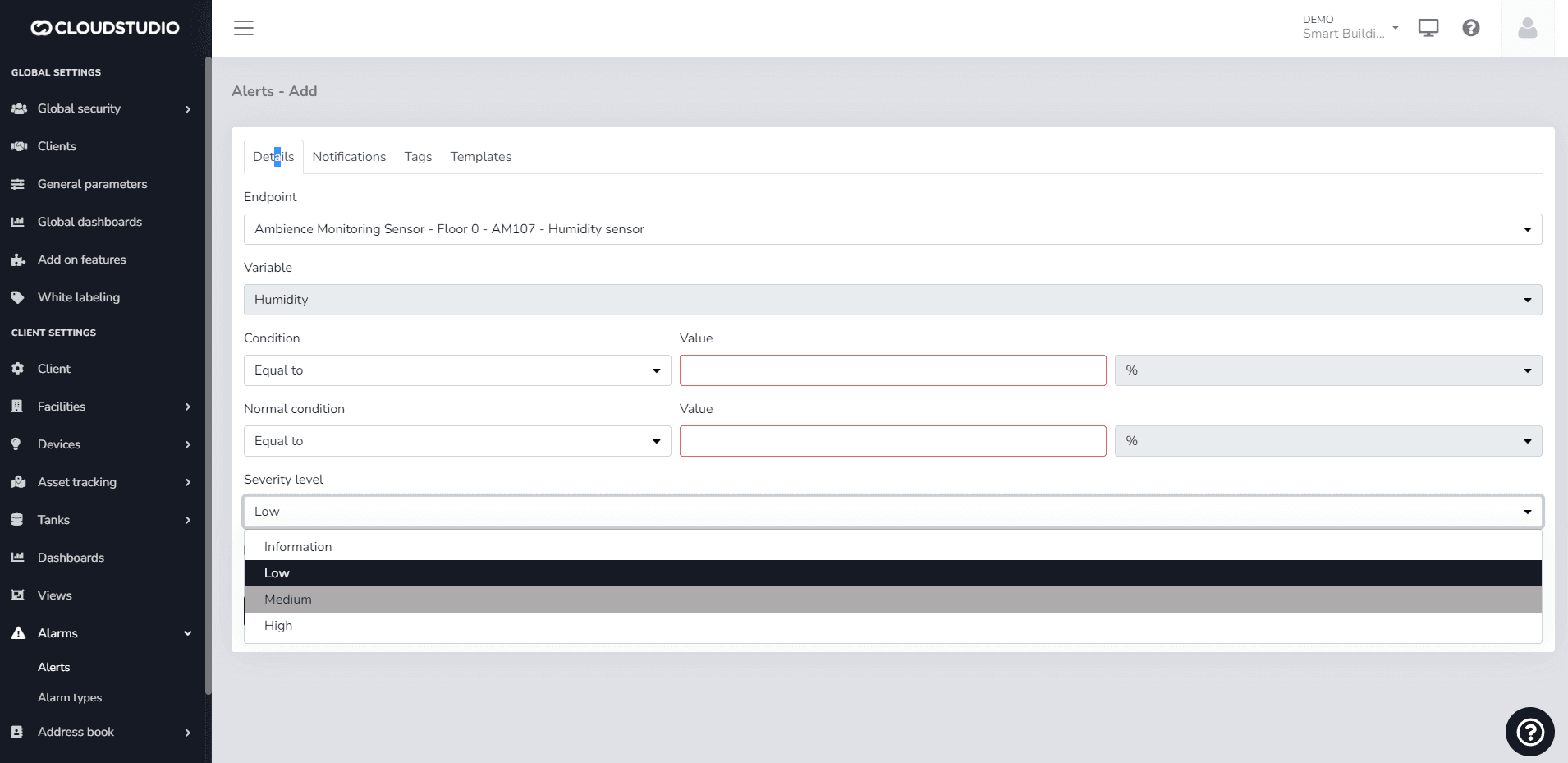
Severity levels in alerts indicate the criticality associated with alarms. Severity levels can be information, low, medium, or high as shown in the following image:
Important
By default, an alarm will be created with the "Low" value. If an alert is created with a severity level of "High", for example, and that alert is subsequently triggered, the alarm history report will retain the severity level with which it was created, even if the severity level was later modified through the alert settings.
Available Alert Types
The following are the alert types available on the platform, with a brief explanation of each.
| Variable | Condition | Supports normal threshold | Supports minimum duration |
|---|---|---|---|
| Temperature | High or low | Yes | Yes |
| Humidity | High or low | Yes | Yes |
| Light level | High or low | Yes | Yes |
| Volume | High or low | Yes | Yes |
| Weight | High or low | Yes | Yes |
| Pressure | High or low | Yes | Yes |
| Voltage | High or low | Yes | Yes |
| Current | High or low | Yes | Yes |
| Active power | High or low | Yes | Yes |
| Reactive power | High or low | Yes | Yes |
| Apparent power | High or low | Yes | Yes |
| Cosine phi | High or low | Yes | Yes |
| IAS sensor | Activated or deactivated | No | Yes |
| Generic variable | High or low | Yes | Yes |
Alert Configuration
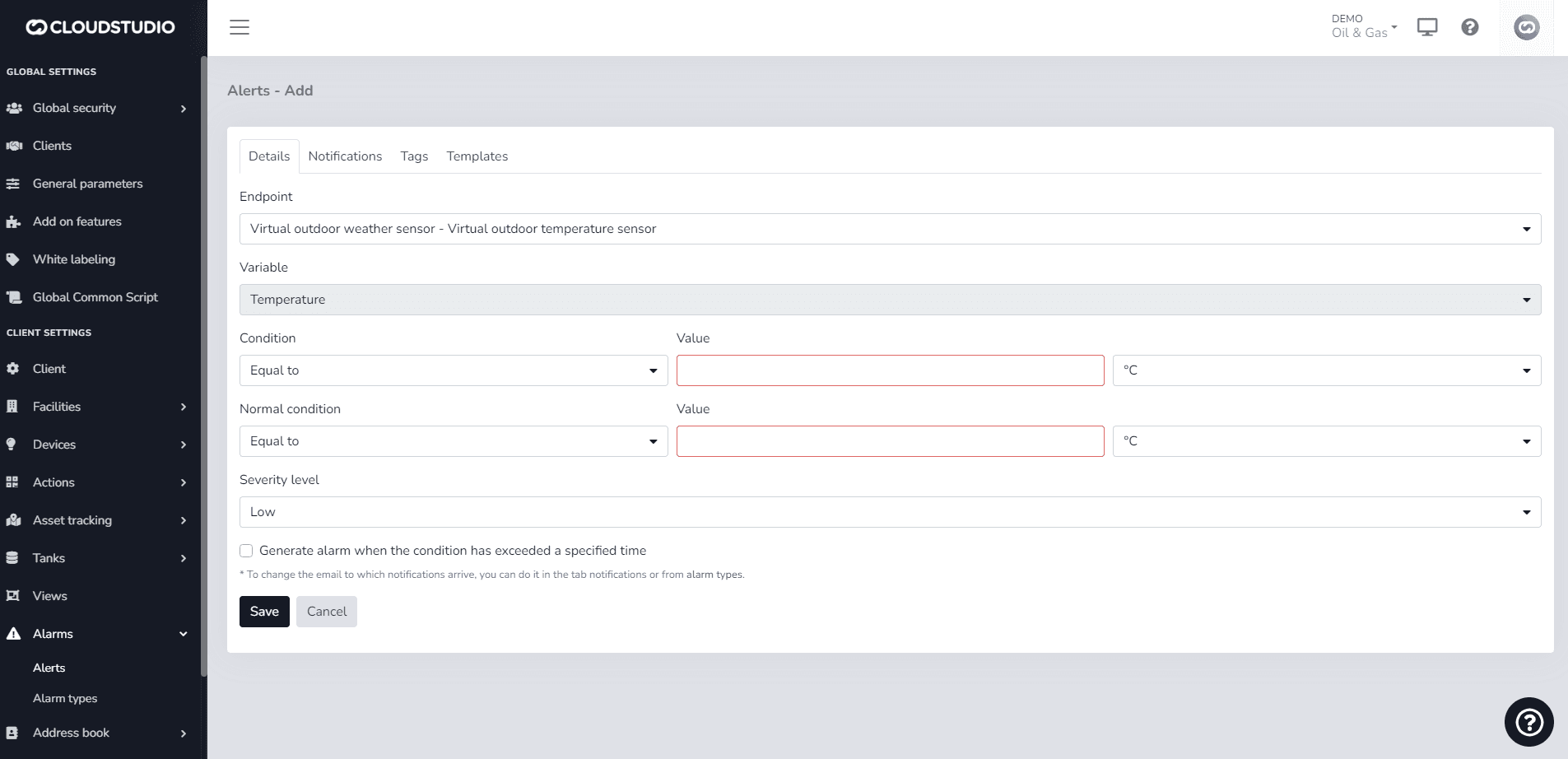
Alerts are applied to endpoints and allow you to define acceptable value ranges so that alarms are automatically generated when values fall outside these thresholds. To set up an alert, use the alerts screen, where you select the alert type, the endpoint it will apply to, the threshold value, and optionally, a minimum duration the condition must persist before the alert generates the corresponding alarm.
Users can use all available variables that have been enabled in their instance and can also customize alert subjects.
For additional information about the allowed variables, click here
These are the allowed parameters (Variables):
| Variable | Comments |
|---|---|
| {CLIENT_ID} | Unique client identifier |
| {CLIENT_NAME} | Client name/description |
| {FACILITY_ID} | Unique facility identifier |
| {FACILITY_NAME} | Facility description |
| {DEVICE_ID} | Unique device identifier |
| {DEVICE_NAME} | Device description |
| {ENDPOINT_ID} | Unique endpoint identifier |
| {ENDPOINT_NAME} | Endpoint description |
| {DEVICE_OR_ENDPOINT_NAME} | Endpoint description. If not valid, the device description will be shown. |
| {ALARM_TEXT} | Alarm description |
| {ALARM_DETAILS} | Alarm details |
Alarms
Alarms are triggered automatically when problems are detected with devices, endpoints, alerts, or any other anomalous situation. The most common alarm types are shown below.
| Alarm type | Comments |
|---|---|
| Device offline | Triggered when a device does not communicate with the platform after a certain time. The maximum time a device can go without sending information to the platform is set in each device model. |
| Alert | Triggered when an alert indicates that an endpoint value is outside the defined thresholds. For each alert type, there is a corresponding alarm type, for example, high temperature alarm, IAS sensor activation alarm, etc. |
| Low battery | Triggered when a device's battery level is low. |
| Critical battery | Triggered when a device's battery level is critical. |
| Overheating condition. All outputs turned off | This alarm type is not yet implemented |
| Low temperature condition | This alarm type is not yet implemented |
| Charging failure | This alarm type is not yet implemented |
| Informational message | This alarm type is not yet implemented |
| Unspecified or generic message | This alarm type is not yet implemented |
Última atualização em