

时间段选择
简介
平台允许 time period 选择ion in various situations, such as:
- 仪表盘
- 小部件
- Historical data visualization
- 报告
In all cases, the user interface presents a component like the following:
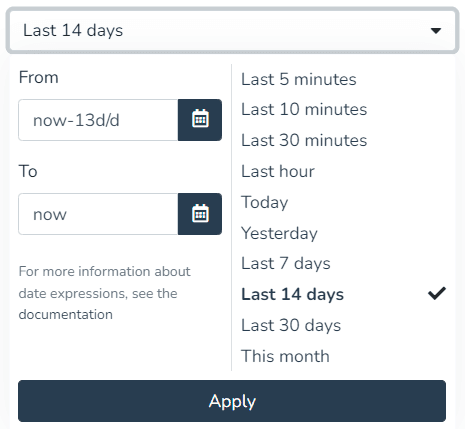
Choosing absolute and relative time periods
This component allows 选择ing a date range (including time, if applicable), both in absolute and relative form. Below is how this feature is used.
Absolute time periods
To specify an absolute time period, use the buttons to 输入 dates. You can choose a start date and time, as well as an end date and time.
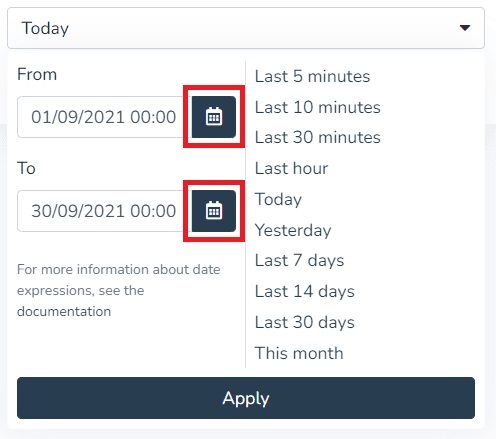
When 按下ing the "Apply" button, the 选择or will display the 选择ed period:

Relative time periods
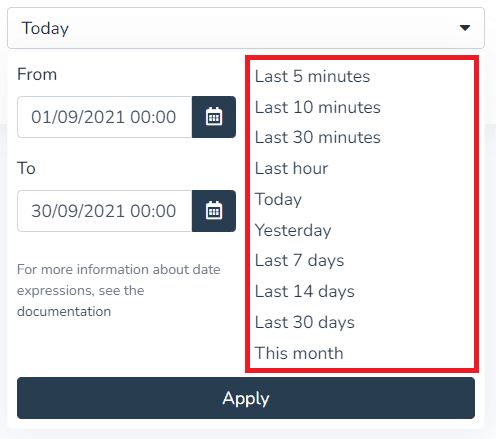
To choose relative time periods, you can use the options bar on the right, as shown 此处, as well as 输入 arbitrary relative time ex按下ions. The following image shows the list of predefined relative time options:
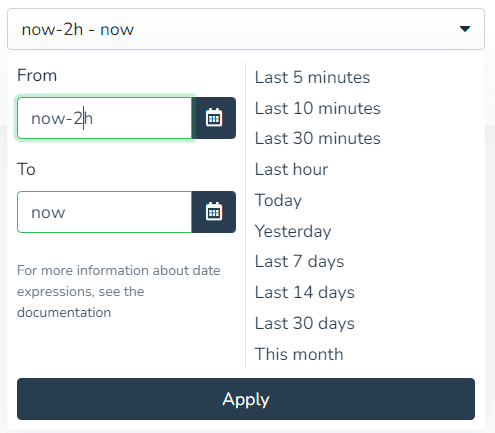
However, you can also 输入 any relative time period by typing it in the respective "From" and "To" fields, as shown in the following example:
The syntax for relative ex按下ions is as follows:
- now always represents the current date and time.
- Then, you can add or subtract an arbitrary amount of seconds, minutes, hours, days, months, or years.
- s represents seconds
- m represents minutes
- h represents hours
- d represents days
- M represents months
- y represents years
- Optionally, you can "round" the date to the beginning of the day, month, or year by adding any of the following modifiers:
- /d represents the beginning of the day
- /M represents the beginning of the month
- /y represents the beginning of the year
示例 of relative ex按下ions:
| Start ex按下ion | End ex按下ion | Meaning |
|---|---|---|
| now/d | now | From the beginning of today until now. |
| now/M | now | From the beginning of the month until now. |
| now-1d/d | now/d | Yesterday. |
| now-6h | now | The last 6 hours. |
| now-30m | now | The last 30 minutes. |
| now-14/d | now | The last 15 days (including today). |
Mixed time periods
You can also use a combination of fixed and relative periods. For example, to indicate the time period "from January 1, 2021 until now", you can 输入 the absolute date "January 1, 2021" in the "from" field, and then the relative ex按下ion "now" in the "to" field.
最后更新于