

Configured Notifications Report by Instance
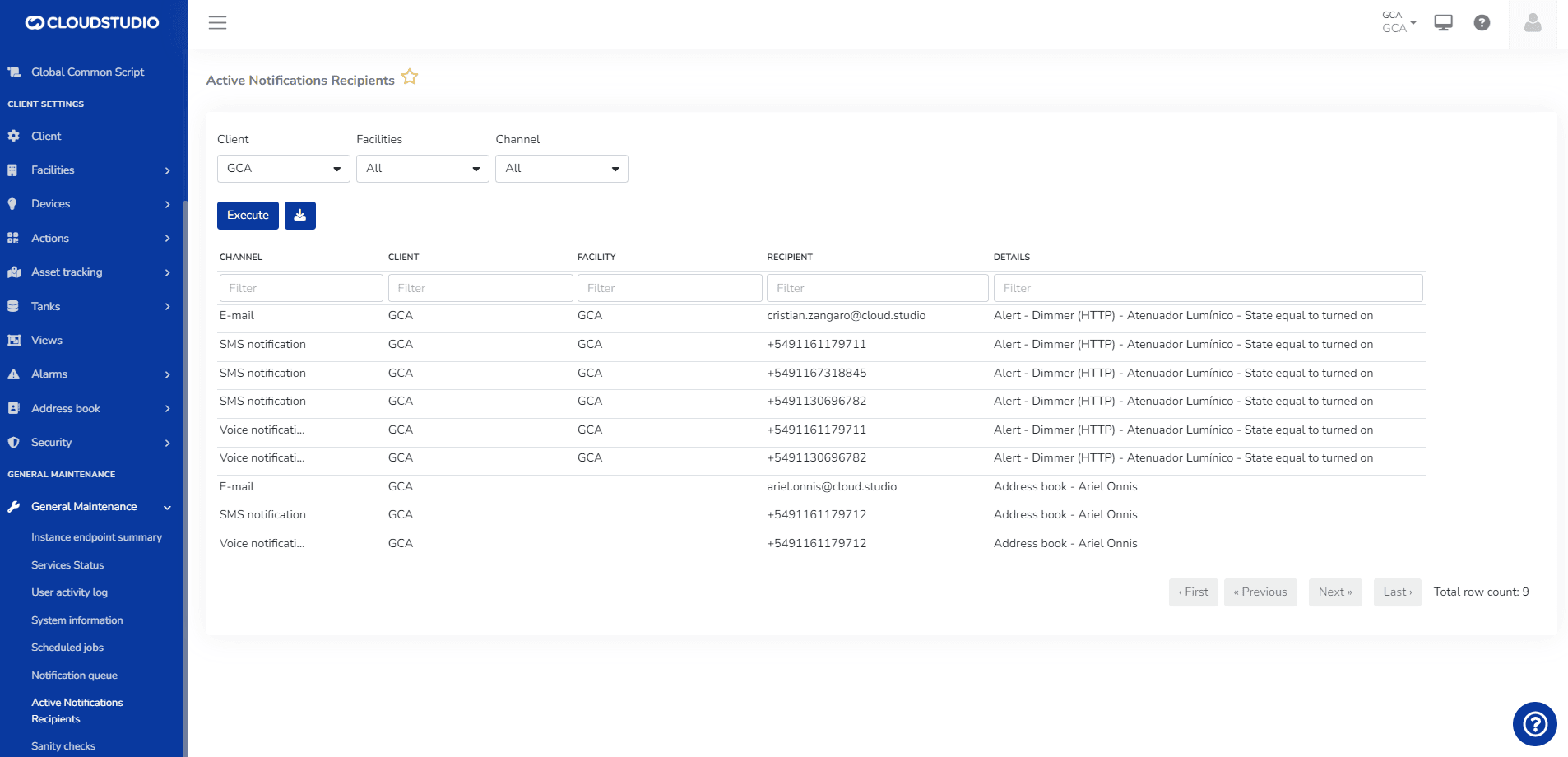
This report lists the notifications configured at the instance level, considering all Clients and Facilities it contains.
Filters:
- Client (all or selected list)
- Facility (all or selected list)
- Channel (all or selected list)
- Contact methods (recipients): allows entering a full or partial phone number or email address once the report has been run with the previous filters (Client, Facility, and Channel)
This last filter can consist of an email address and/or phone number that the user manually enters in order to find which instance client or which configuration (alarm or alert types) contains the entered contact method configured for a notification.
- The user can download the report in PDF and Excel formats.
Última atualização em
Listagem de Notificações
Introdução: A listagem de notificações permite visualizar o relatório filtrado por data de criação, Facility, tipo de notificação, canal e Cliente. Um administrador com usuário global pode filtrar por múltiplos clientes. A plataforma permite baixar o relatório em PDF/Excel.
Report Export Customization
This feature allows customizing the subject and body of the email sent when scheduling a report. Additionally, it allows adjusting the name of the attached document, the header, and the footer.