

ThingPark X IoT Flow (Actility)
The integration with ThingPark X IoT Flow allows the Cloud Studio IoT Platform to communicate with LoRaWAN devices using a variety of gateways available on the market. This article describes the steps necessary to complete the integration.
Requirements
Prior to integration, the user must have:
- An instance identifier. Depending on your Gear Studio subscription, the most common instance names are:
- gear.cloud.studio. This instance name corresponds to a common Gear Studio instance, including the free version.
- xxxx.cloud.studio. This instance name corresponds to Flex instances w此处 hosting is provided by Cloud Studio, but the client can choose the subdomain used (xxxx).
- Other. For 输入prise clients using their own domain, the chosen domain name should be used.
- An 访问令牌. Data sent from TPX will use this 访问令牌 to access the platform, and t此处fore TPX will have the permissions associated with this 访问令牌. It is recommended to create a new 访问令牌 specifically for the TPX integration to simplify security control.
Creating a Connection with UI
Log in to community.thingpark.io. Then follow these steps:
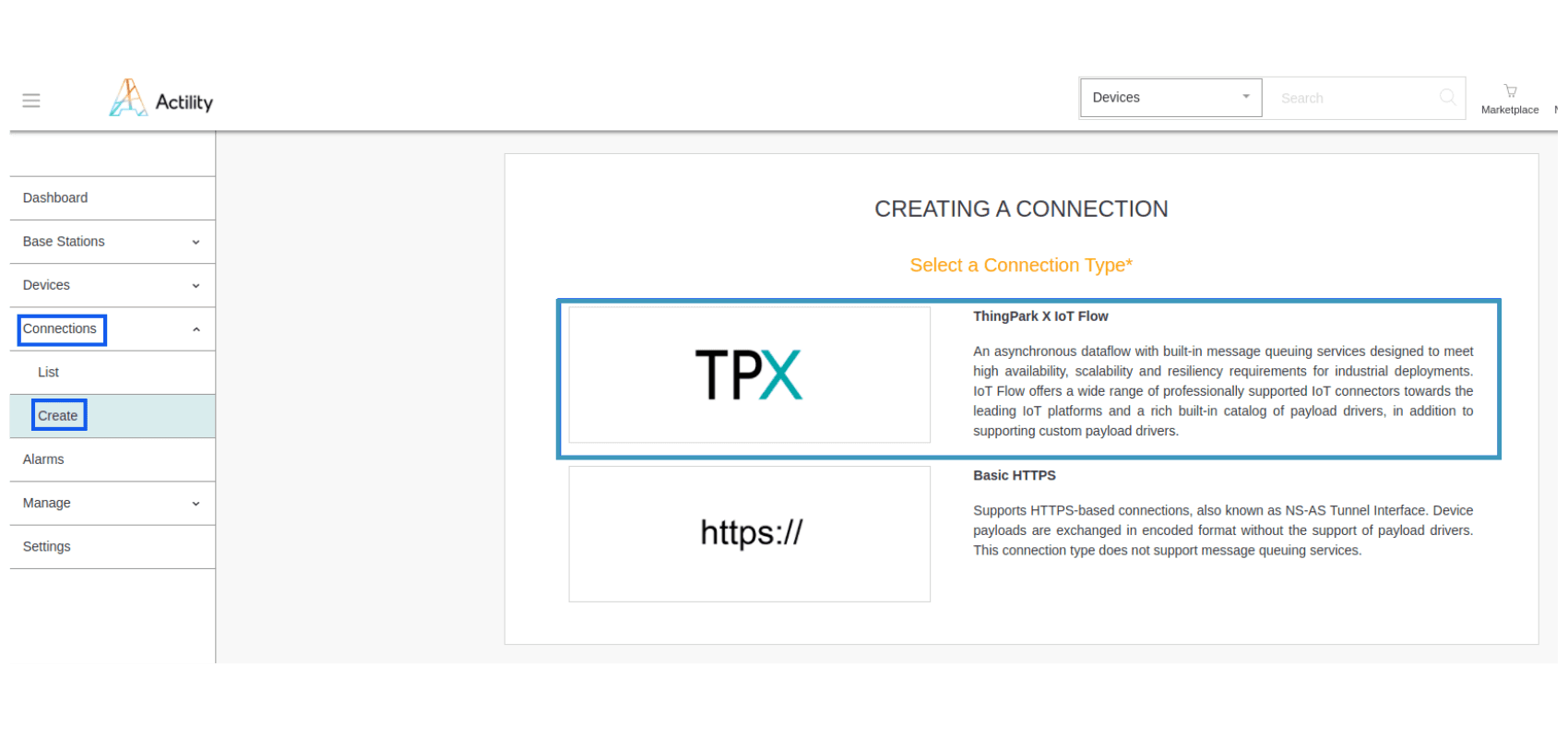
- 点击 on Connections -> Create -> ThingPark X IoT Flow.
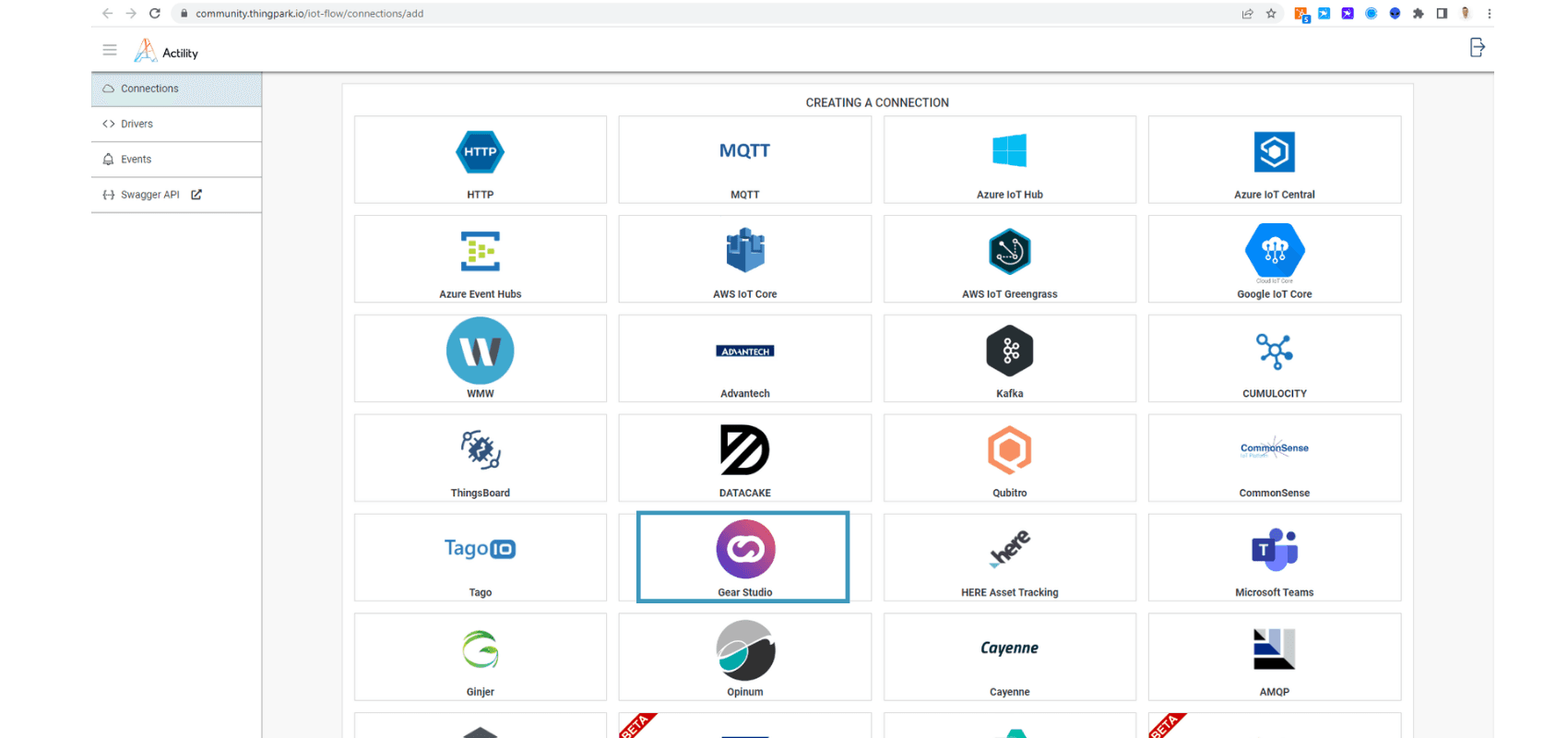
- A new page will open. 选择 the connection type: Gear Studio.
- Complete the form as shown in the following example and 点击 Create.
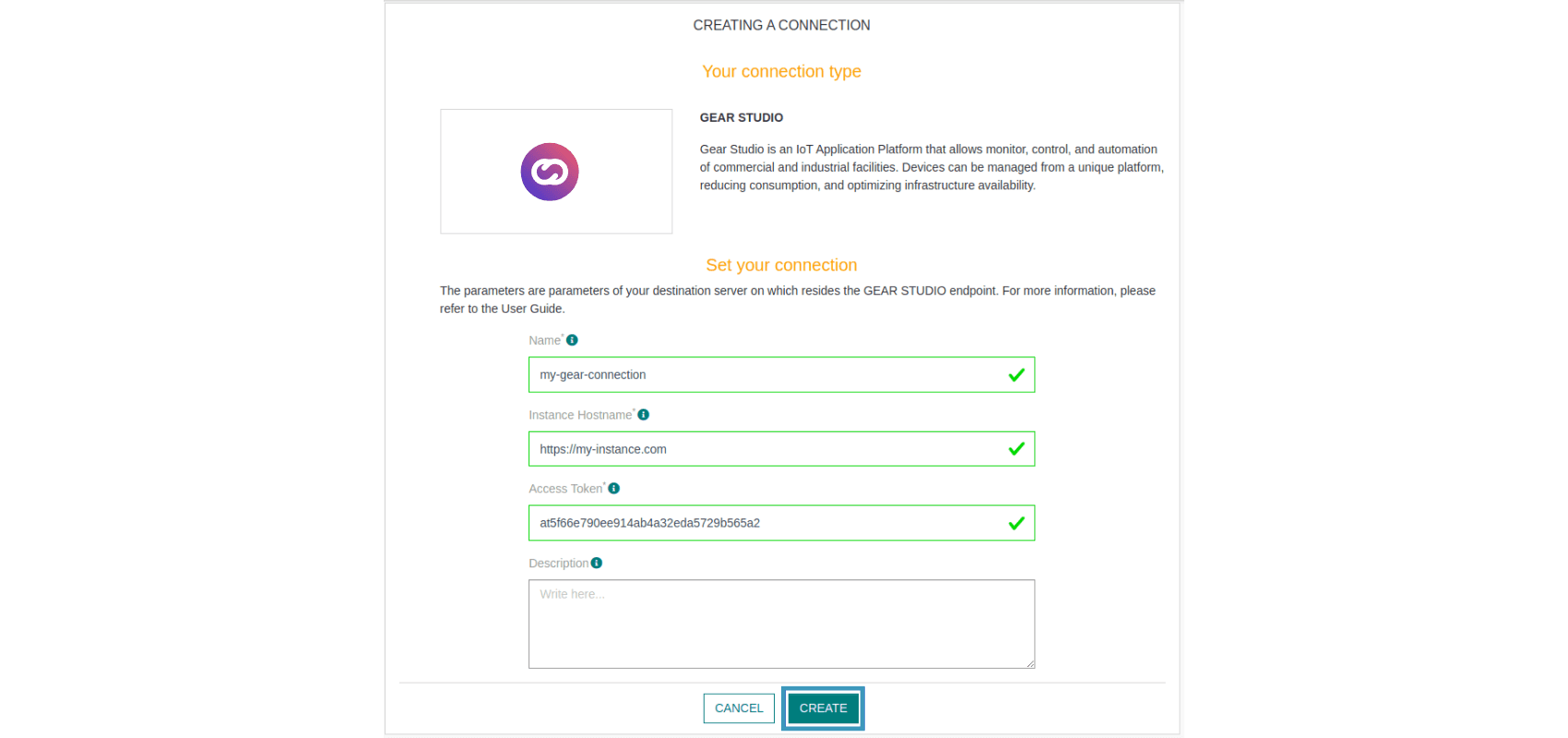
Note 参数 marked with * are mandatory.
- A notification will appear in the upper right corner of your screen to confirm that the application has been created.
- After creating the application, you will be redirected to the connection details.
视图ing Information on the Cloud Studio IoT Platform
Connect to your Gear Studio instance and navigate to the configuration.
- Go to the 设备 section and 点击 the Add button to create a new Device.
_bc3f.png&w=1920&q=75&dpl=dpl_87LH5cJ2L3jjsAK3mA5aYAZuUopg)
- Fill in the form 使用 设备模型 created earlier. The Address field corresponds to your Device EUI (find it in the ThingPark device list).
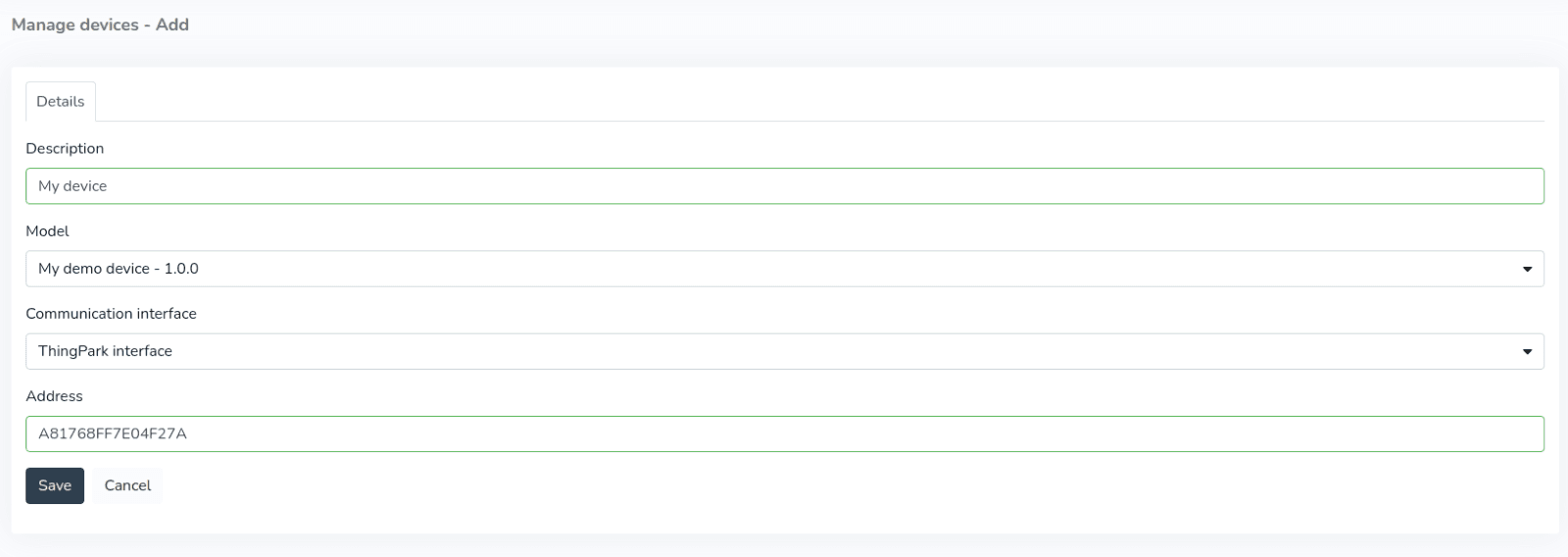
- After the device is created, data reported to the platform will be displayed in the 端点 section in the left menu of the Monitor. Note that LoRaWAN devices may report every 5 to 15 minutes, so the display will depend on this interval.
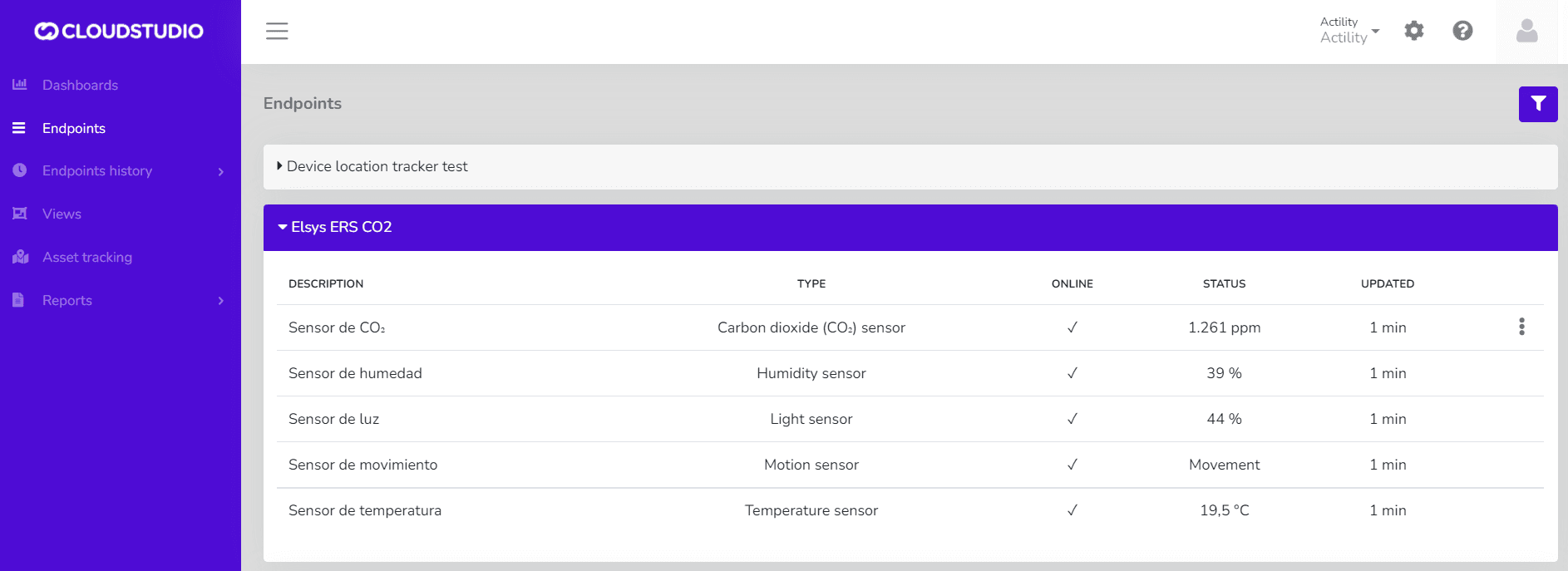
- Once the devices are correctly connected, you can create a custom 仪表盘 using a wide variety of 小部件 to display the data being sent by the device.
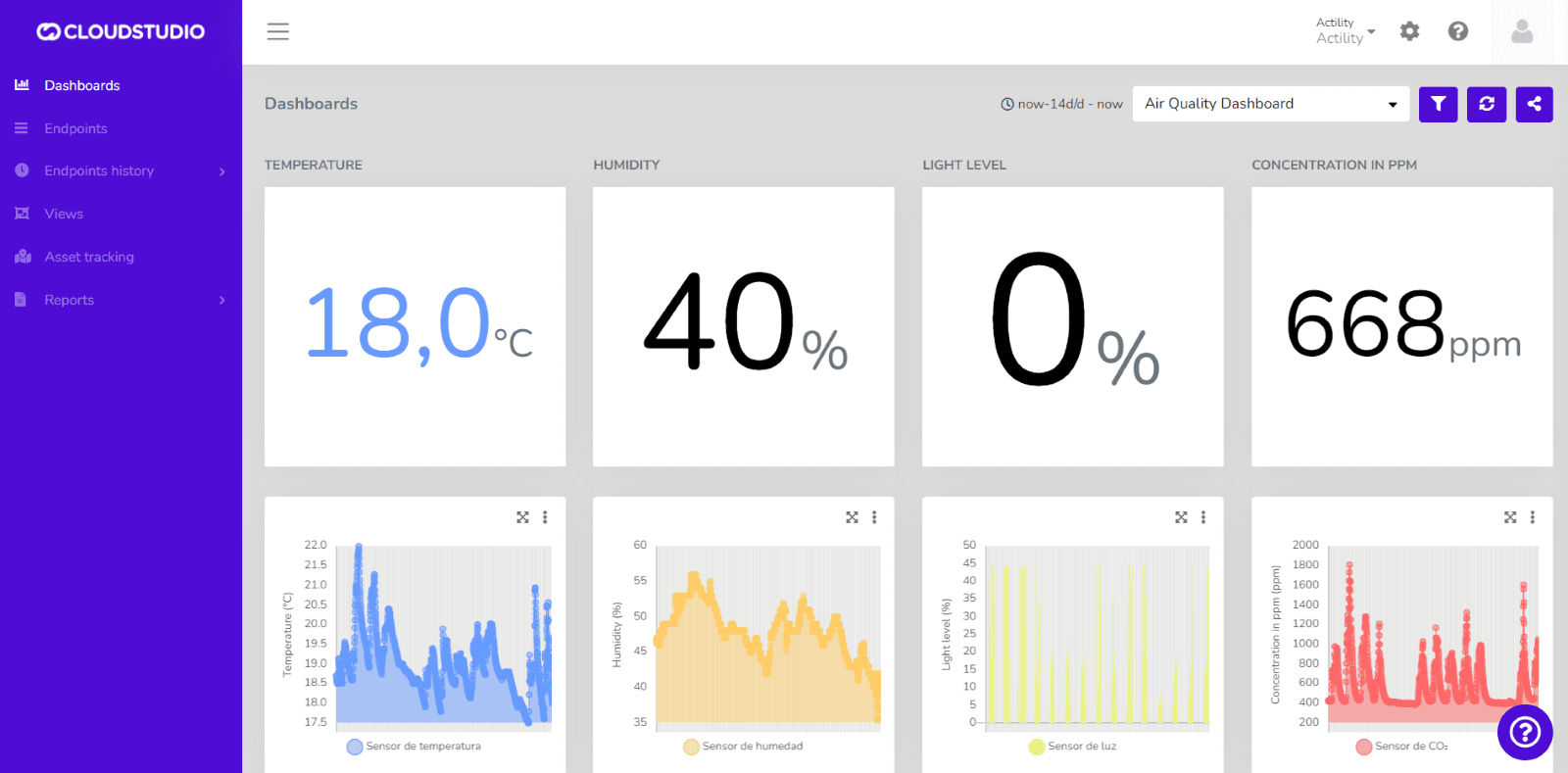
Check out our tutorial on YouTube
最后更新于
The Things Stack (TTN / TTS)
The Things Stack integration allows the platform to communicate with LoRaWAN devices using a variety of gateways available on the market. This article describes the steps necessary to complete the integration.
LORIOT
The LORIOT integration enables the platform to have solid communication between a connectivity provider and a quality IoT Platform like Cloud Studio IoT.