

Variables for 提醒 Notifications
提醒 are applied to endpoints and allow you to define acceptable value ranges so that alarms are automatically generated when values fall outside these thresholds. To set up an alert, use the alerts screen, w此处 you 选择:
- 提醒 type.
- 端点 it will apply to.
- Threshold value.
- Optionally, a minimum duration the condition must persist before the alert generates the corresponding alarm.
As a user you can:
- Type the available variables that have been enabled and that you can see within the platform.
- Leave the subject in this text box.
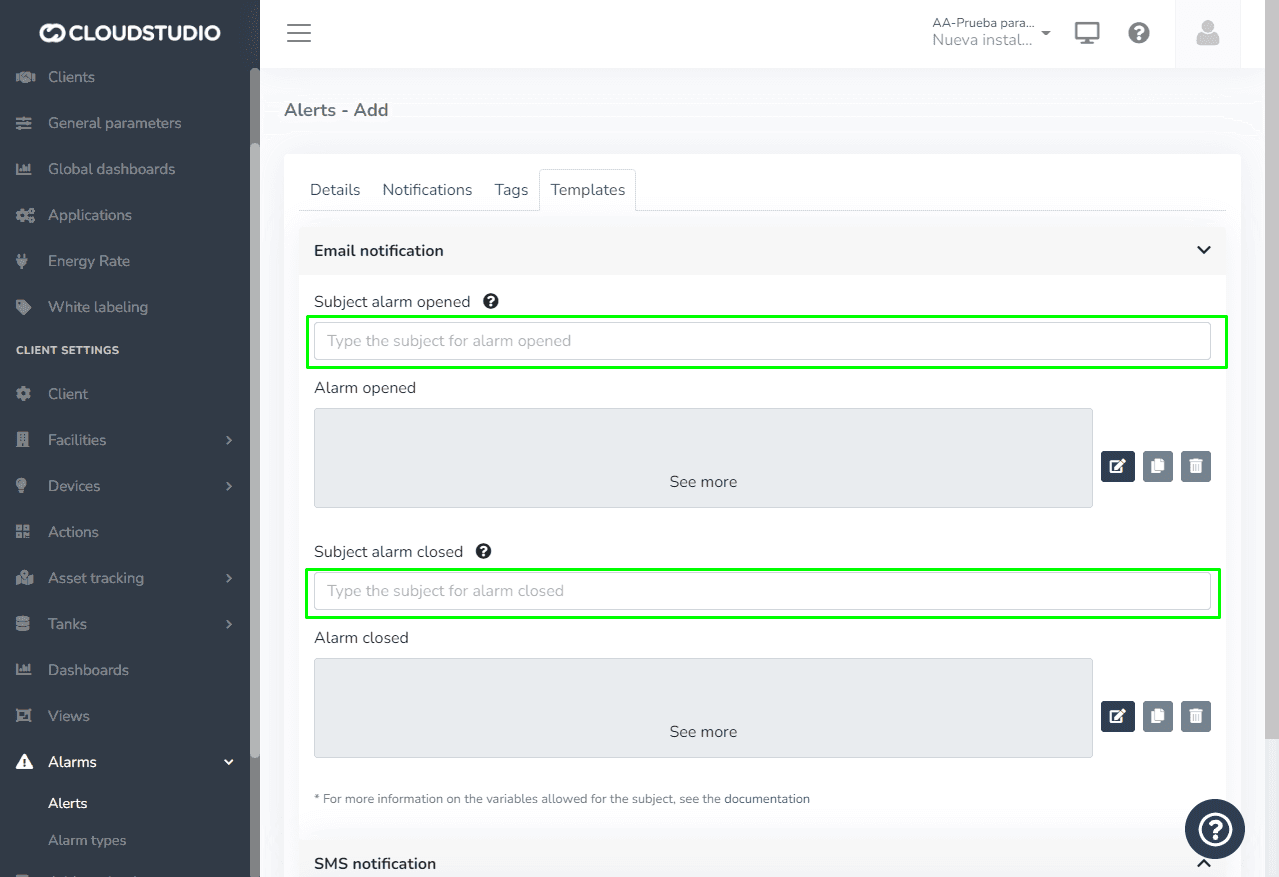
These are the allowed parameters (Variables):
| Variable | 说明 |
|---|---|
| {CLIENT_ID} | Contains the identifier of the client w此处 the alarm was generated. |
| {CLIENT_NAME} | Contains the name/description of the client w此处 the alarm was generated. |
| {FACILITY_ID} | Contains the identifier of the facility w此处 the alarm was generated. |
| {FACILITY_NAME} | Contains the name/description of the facility w此处 the alarm was generated. |
| {DEVICE_ID} | Contains the identifier of the device w此处 the alarm was generated. |
| {DEVICE_NAME} | Contains the name/description of the device w此处 the alarm was generated. |
| {ENDPOINT_ID} | Contains the identifier of the endpoint w此处 the alarm was generated, or zero if the alarm does not correspond to a specific endpoint. |
| {ENDPOINT_NAME} | Contains the name/description of the endpoint w此处 the alarm was generated, or an empty value if the alarm does not correspond to a specific endpoint. |
| {DEVICE_OR_ENDPOINT_NAME} | Contains the name/description of the endpoint w此处 the alarm was generated, if it is an endpoint-level alarm, or the name/description of the device otherwise. |
| {ALARM_TEXT} | Contains the full text of the alarm that was generated. |
| {ALARM_DETAILS} | Contains the alarm details, such as the threshold used in the case of alerts. |
| {ALARM_DETAILS_DISPLAY} | Contains the value "inline" if additional data exists, or "none" if no additional data exists. Should only be used in HTML templates. |
最后更新于