

Configuring Contacts for Notifications
For each 提醒, the system allows 选择ing the contacts or contact groups that should receive the notifications. The data that can be 输入ed includes:
- Preloaded contact
- Preloaded address groups
- Email address(es) (the contact does not need to exist in the address book)
- Phone number for SMS notifications (the contact does not need to exist in the address book)
- Phone number for voice notifications (the contact does not need to exist in the address book)
Voice and SMS notification services must be enabled at the client and facility level to be sent. 更多信息 or to check whether these services are enabled for a client and facility, see this page
Edit Notifications
To edit alert notifications, go to Client 配置 **> 警报_ > _提醒.**
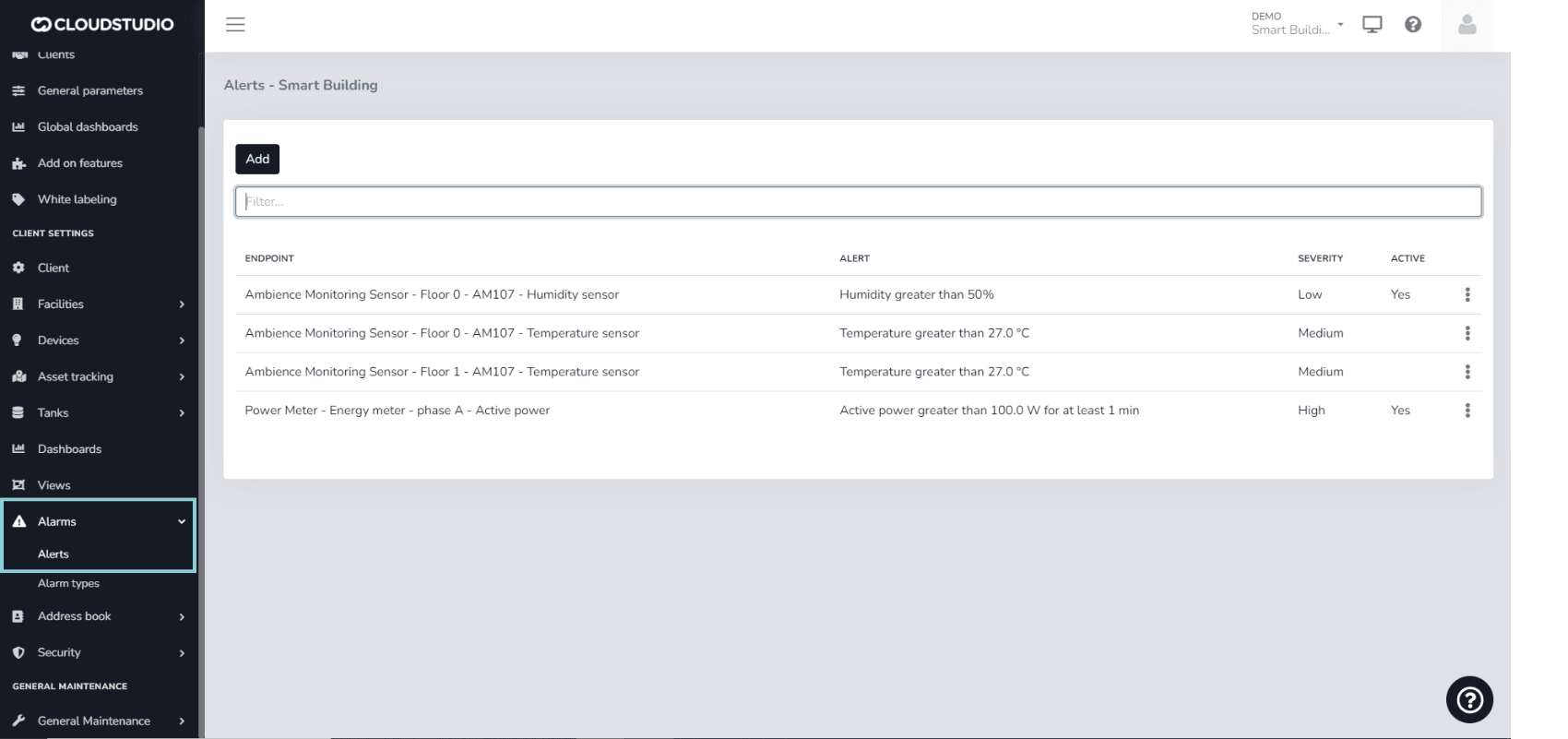
选择 the alert to modify 使用 three dots on the right side and 按下 Edit.
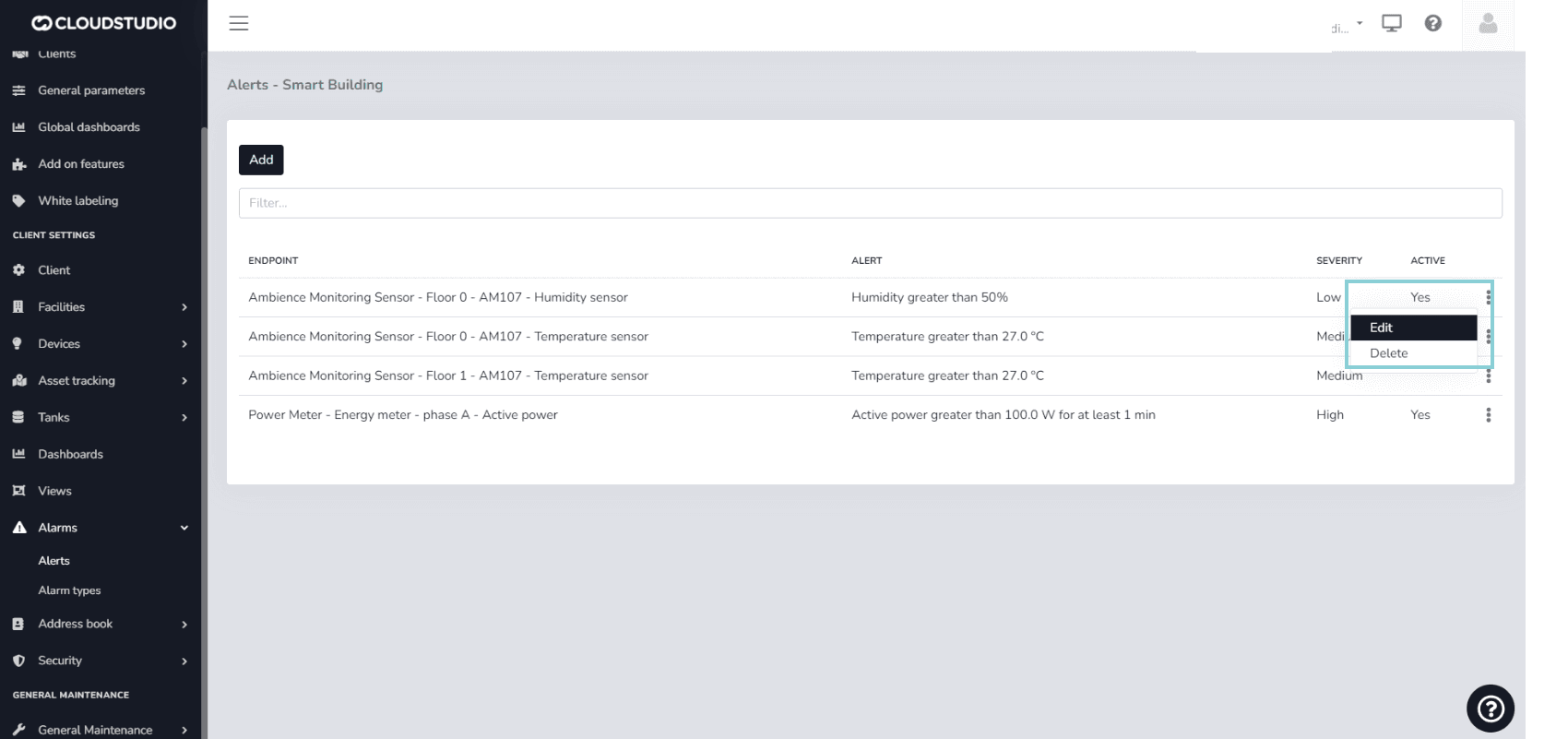
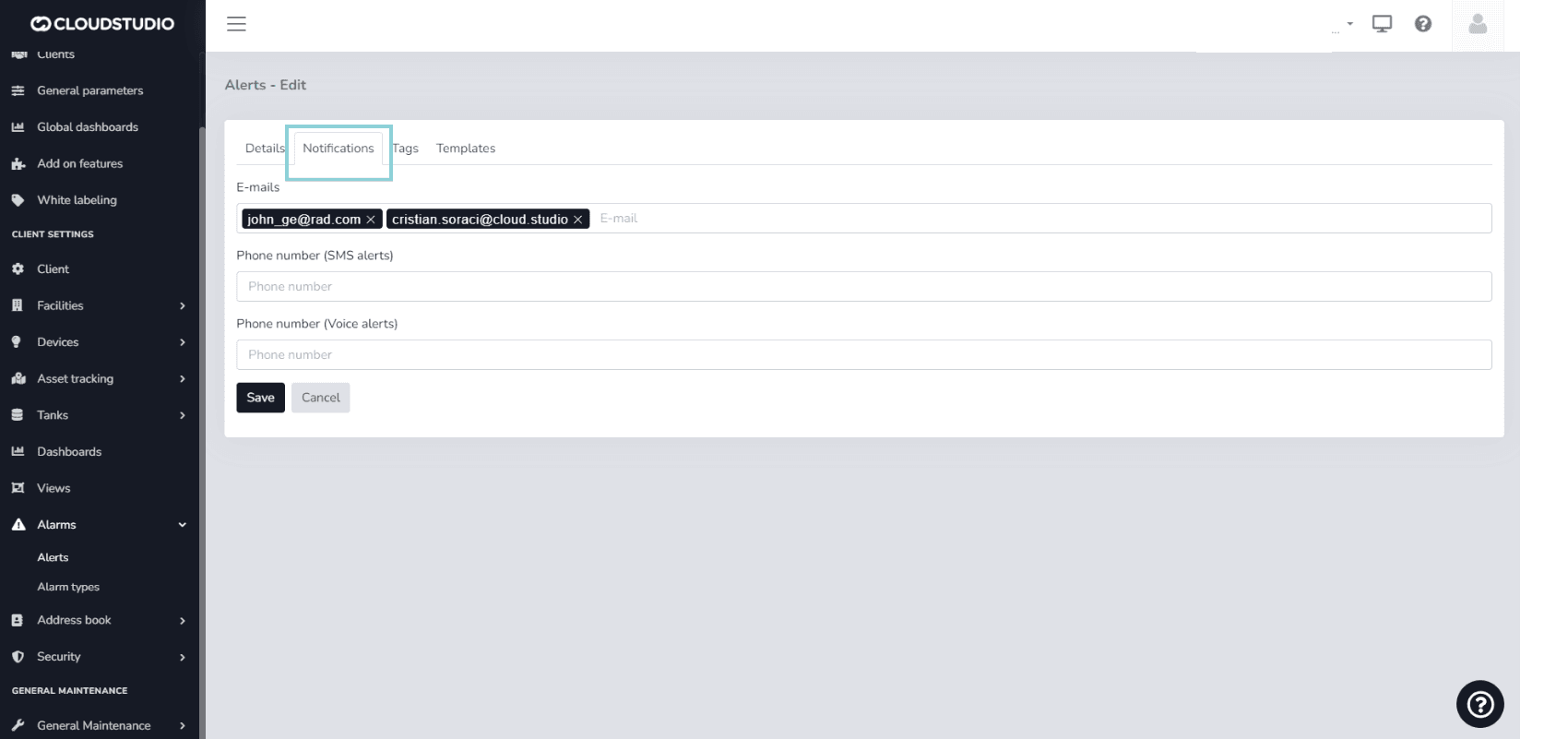
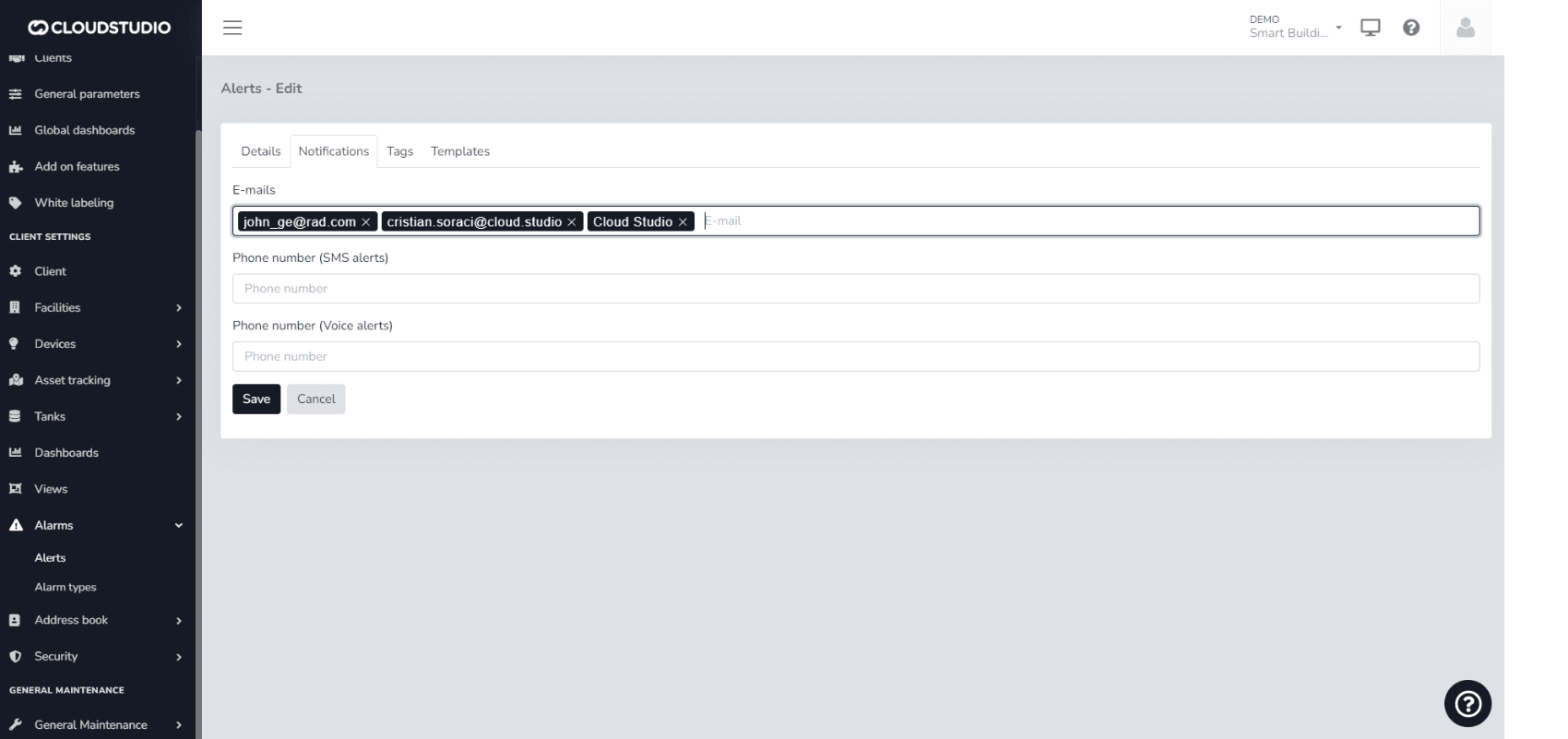
Look for the Notifications option.
In E-mails, you can simply type the email address(es) you wish to add to the notifications. You can also type the name of a contact or group preloaded in the platform's 通讯录. For phone numbers, you can follow the same procedure: type the number or the names of contacts and/or groups preloaded in the system.
_853d.png&w=1920&q=75&dpl=dpl_87LH5cJ2L3jjsAK3mA5aYAZuUopg)
重要说明 note: For contacts, email addresses, and phone numbers to be saved, you must 按下 the 输入 key after typing and ensure they appear highlighted in a box.
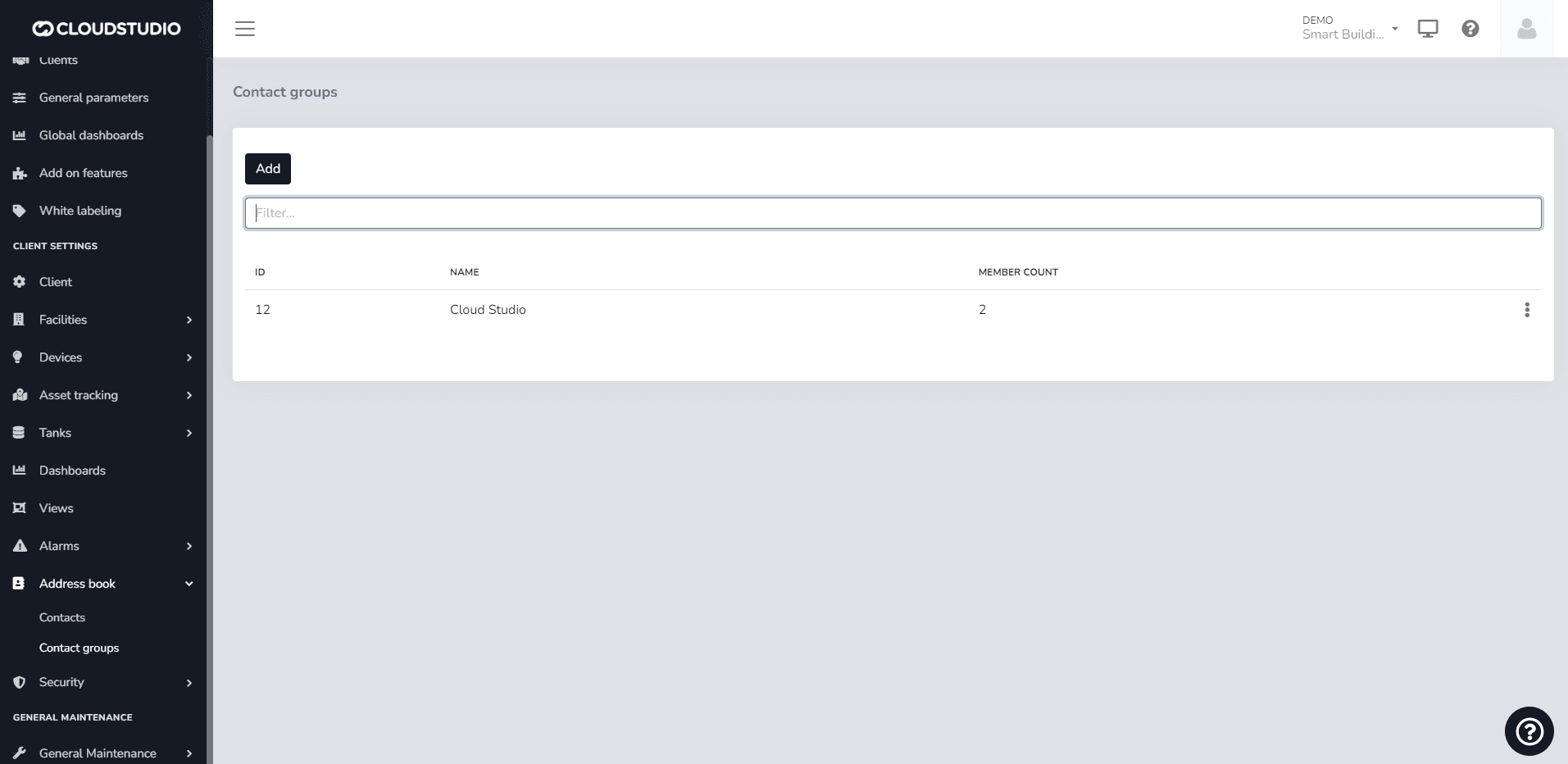
示例 of a group preloaded in the 通讯录
最后更新于
Variables for 提醒 Notifications
提醒 are applied to endpoints and allow you to define acceptable value ranges so that alarms are automatically generated when values fall outside these thresholds...
Voice and SMS Services
Voice and SMS notification services have an associated cost. The user can view messages in the notifications tab within 提醒 and 提醒 Types that warn about the...