

全局变量替换
This is the process by which a local variable (defined by a client) is removed and replaced by a global variable, applying this change across all devices, models, or environments w此处 it was previously configured.
This action allows unifying and avoiding redundant or duplicate variables, centralizing environment configuration management, and simplifying maintenance.
Warning: This process is not reversible.
To perform this action:
- Go to client configuration -> 设备 -> 变量类型
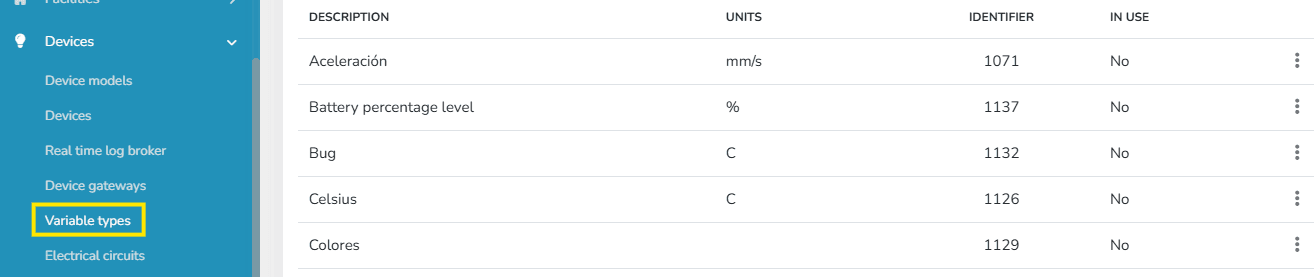
- 点击 on the context menu and 选择 the Replace with Global Variable option.
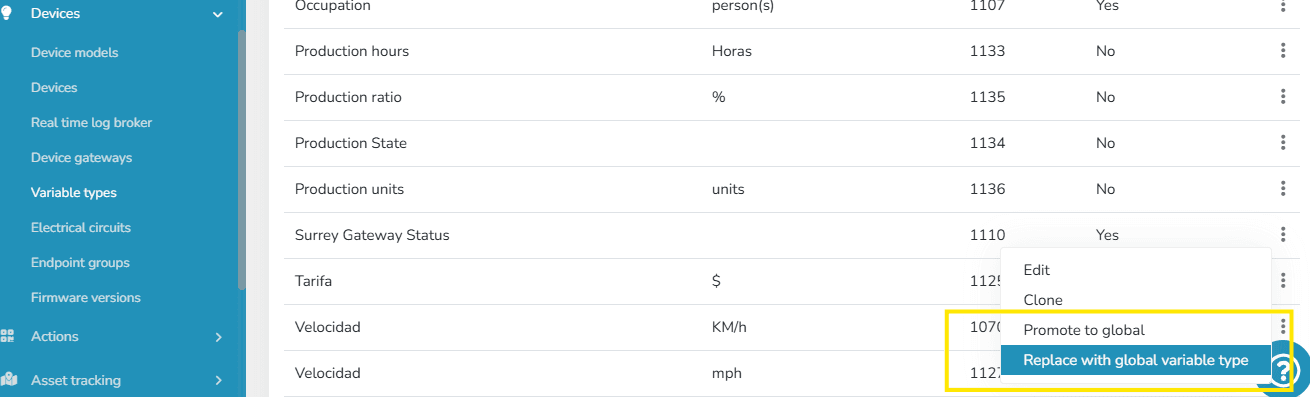
- Once this option is 选择ed, an informational message appears for confirmation of the local variable replacement, along with a 选择or showing all existing global variables in the instance.
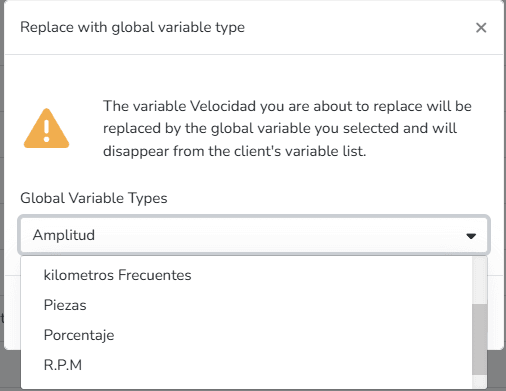
Warning: The global variables shown for replacement are only those of the same type as the local variable (e.g., a discrete local variable can only be replaced by a discrete global variable).
Warning: This process is not reversible.
Once this action is performed, the local variable ceases to exist in the variable types list. At the same time, it is replaced in 设备模型, devices, scripts, and every location w此处 the local variable previously existed.
最后更新于
Local Variable Promotion
On the platform, variables can be defined at the client level (local) or at the global level (shared by all clients in an instance). This feature allows promoting a local variable to a global variable, facilitating its reuse across multiple contexts within the platform.
设备集成
简介 本节 explains how to integrate devices into the Gear Studio platform, that is: How to get devices to send data to the platform...