

设备模型提升
On the platform, device models can exist at the local level (specific to a client) or at the global level (available to all clients in the instance). This feature allows promoting a local device model to a global model, with the goal of reusing configurations across different clients.
When promoting a local model to global:
It is removed from the local models list of the original client.
It is added to the global models list, accessible by all clients in the instance.
It becomes available for creating new devices at the global level.
Warning: This process is not reversible.
How to Promote a 设备模型
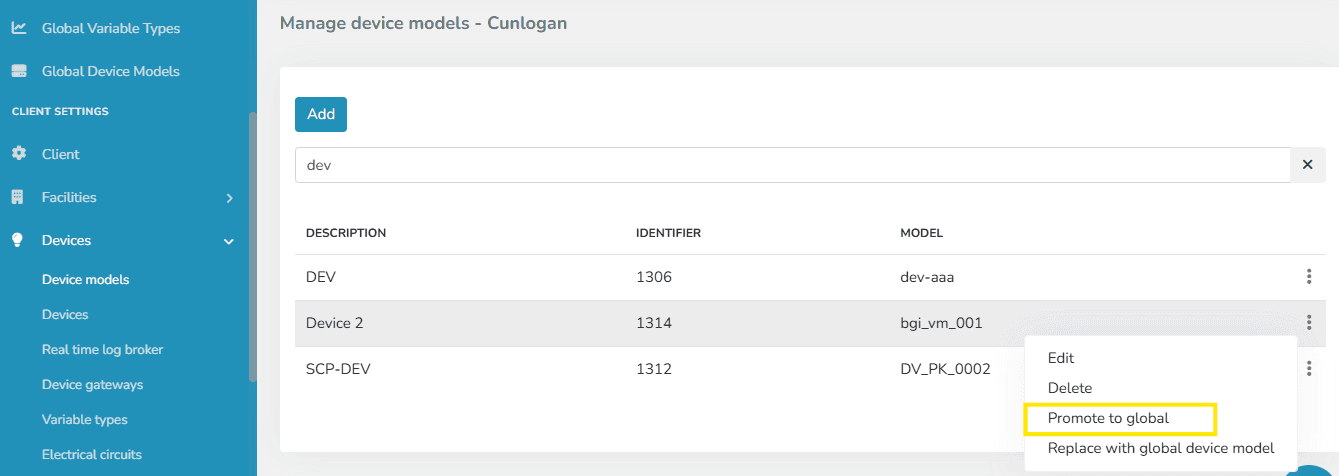
Go to the 设备模型 section of the original client.
Right-点击 on the desired model to open the context menu.
选择 the Promote to Global option.
动作 Confirmation
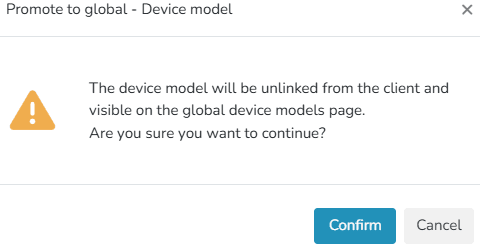
When 选择ing this option, a message will be displayed requesting confirmation of the action.
Promotion Result
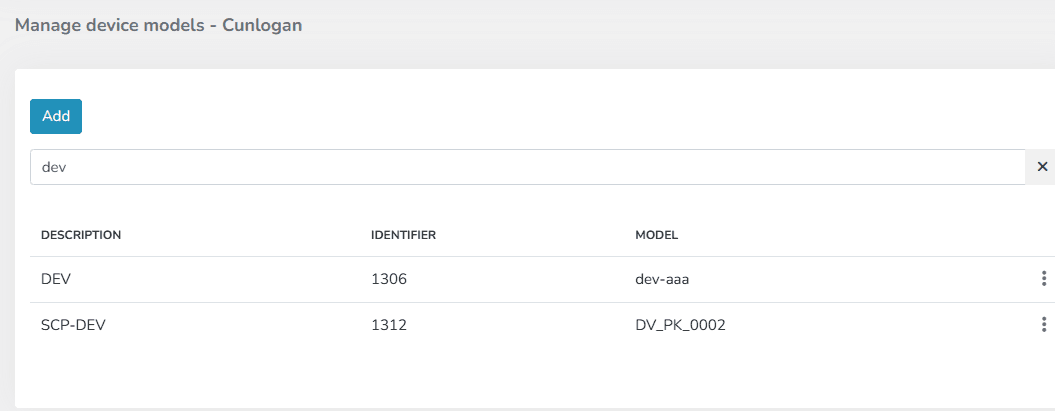
- The model will no longer be available in the client's local models list.
- It will be visible in the Global 设备模型 list.
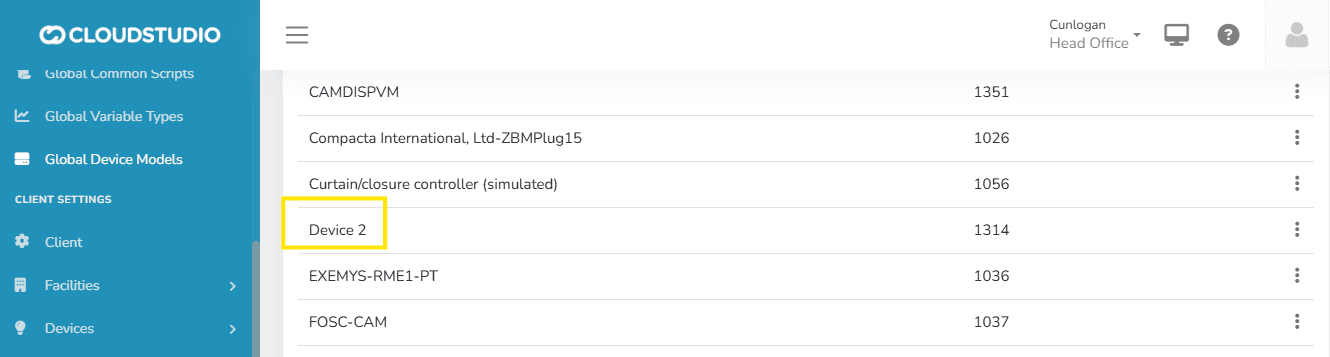
- It will be available to all clients in the instance when creating new devices.
This action can be performed on any device model belonging to a client.
最后更新于
Batch Device Creation
The batch device creation feature allows users to efficiently load multiple devices using a CSV file. This tool is especially useful for large-scale installations, as it avoids manual entry one by one, even allowing you to combine different device models in a single file.
实时日志代理
Real Time Log Broker 是一项服务,以日志条目形式提供对平台事件的实时可见性,涵盖来自设备的数据处理(Uplink)以及从平台到设备的命令传递(Downlink),适用于实现 MQTT 或 HTTP API 的集成。