

Konfiguration der Kontakte für Benachrichtigungen
For each Alert, the system allows selecting the contacts or contact groups that should receive the notifications. The data that can be entered includes:
- Preloaded contact
- Preloaded address groups
- Email address(es) (the contact does not need to exist in the address book)
- Phone number for SMS notifications (the contact does not need to exist in the address book)
- Phone number for voice notifications (the contact does not need to exist in the address book)
Voice and SMS notification services must be enabled at the client and facility level to be sent. For more information or to check whether these services are enabled for a client and facility, see this Seite
Edit Notifications
To edit alert notifications, go to Kundenkonfiguration **> Alarms_ > _Warnungen.**
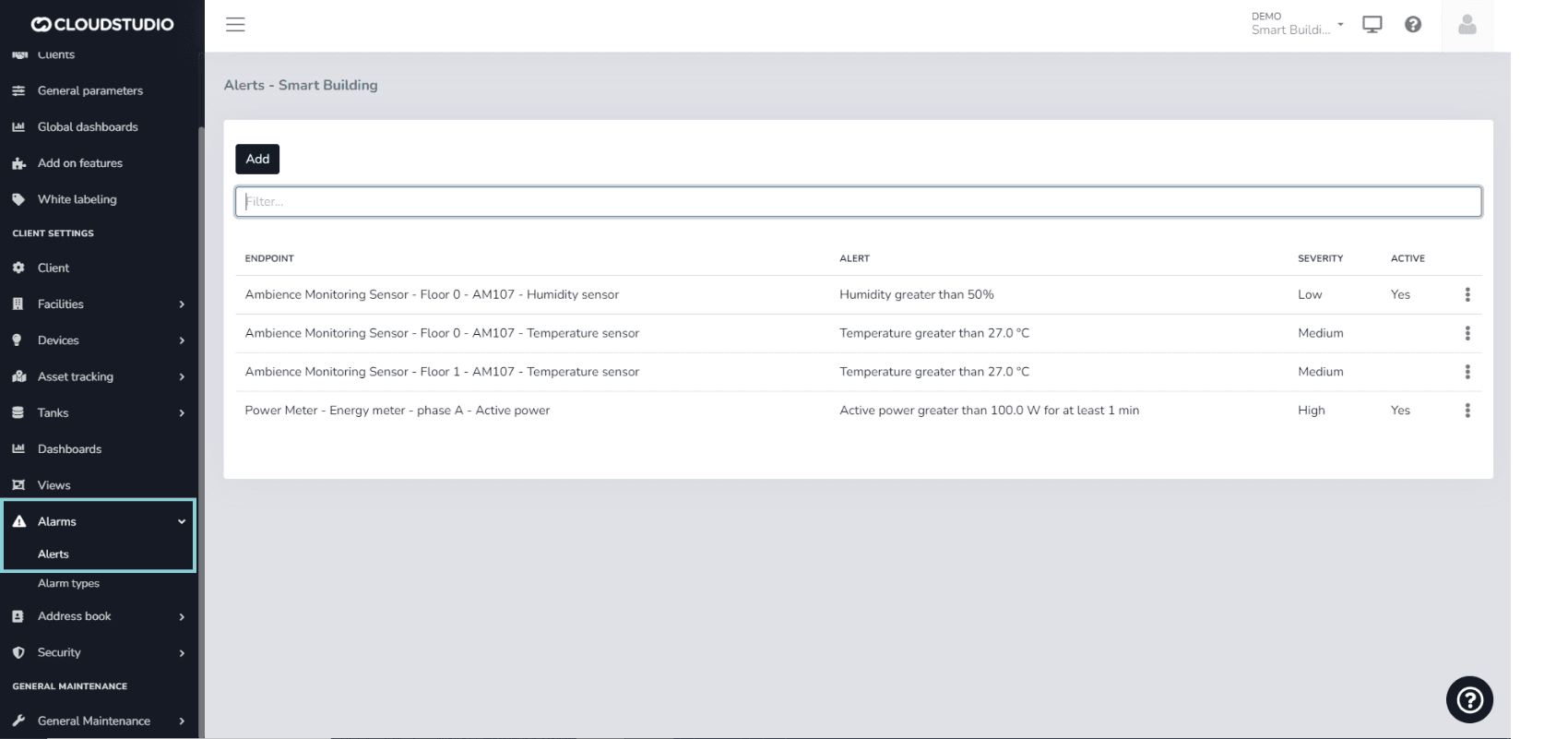
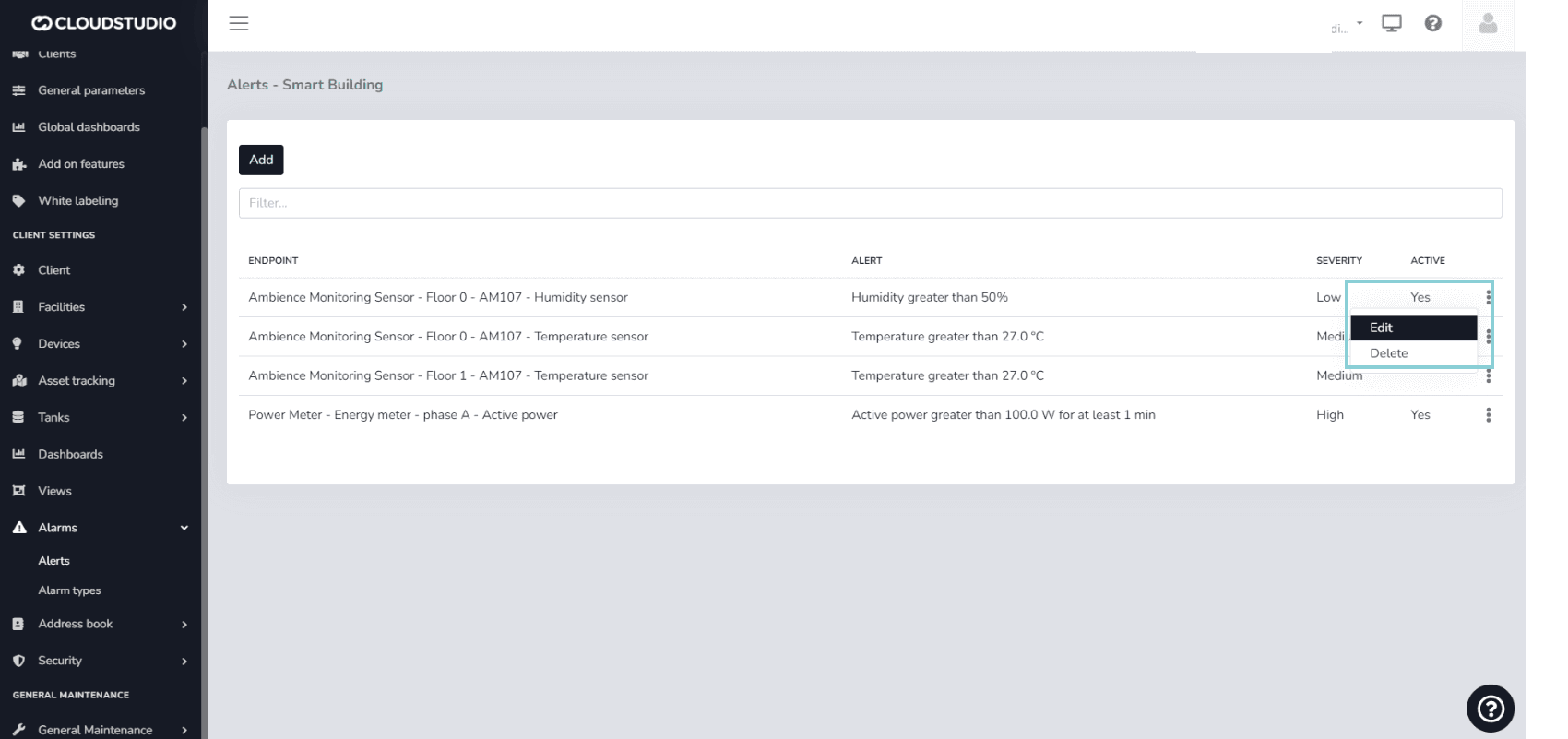
Select the alert to modify using the three dots on the right side and press Bearbeiten.
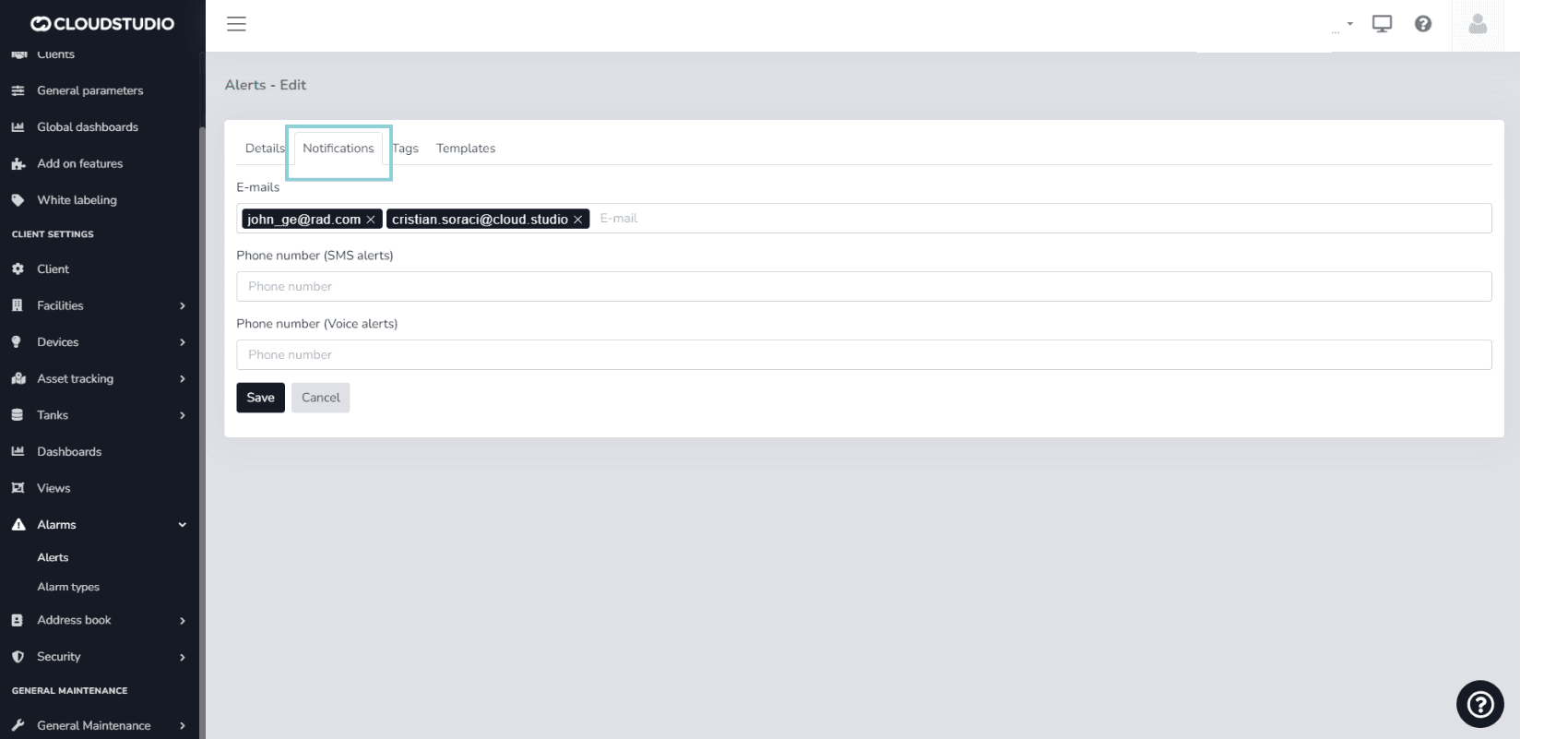
Look for the Benachrichtigungen -Option.
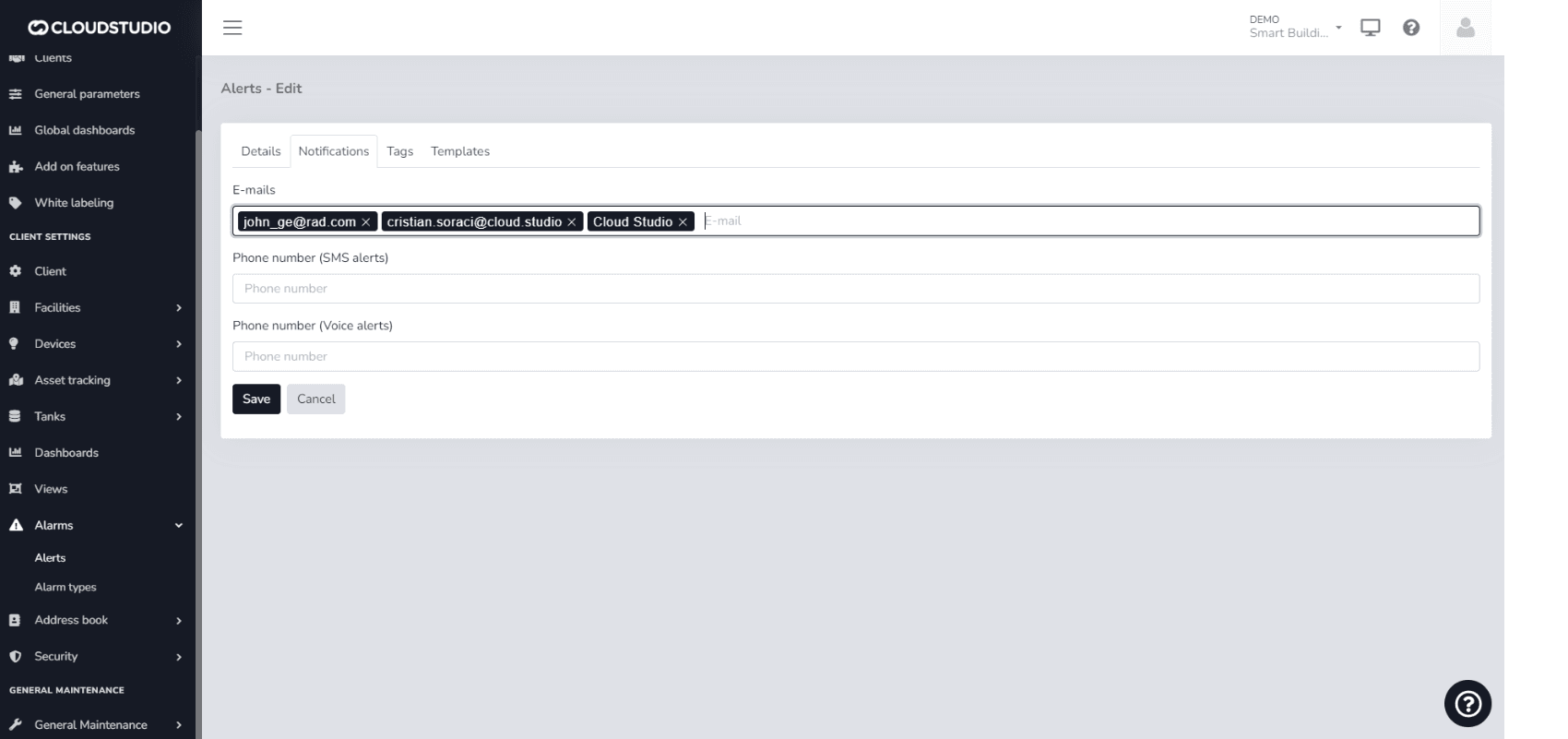
In E-mails, you can simply type the email address(es) you wish to add to the notifications. You can also type the name of a contact oder Gruppe preloaded in the platform's Adressbuch. For phone numbers, you can follow the same procedure: type the number or the names of contacts and/or groups preloaded in the system.
_853d.png&w=1920&q=75&dpl=dpl_3Ti6EA5V1FbxvpPBodpY8mZ5Zt4H)
Important note: For contacts, email addresses, and phone numbers to be saved, you must press the Eingeben key after typing and ensure they appear highlighted in a box.
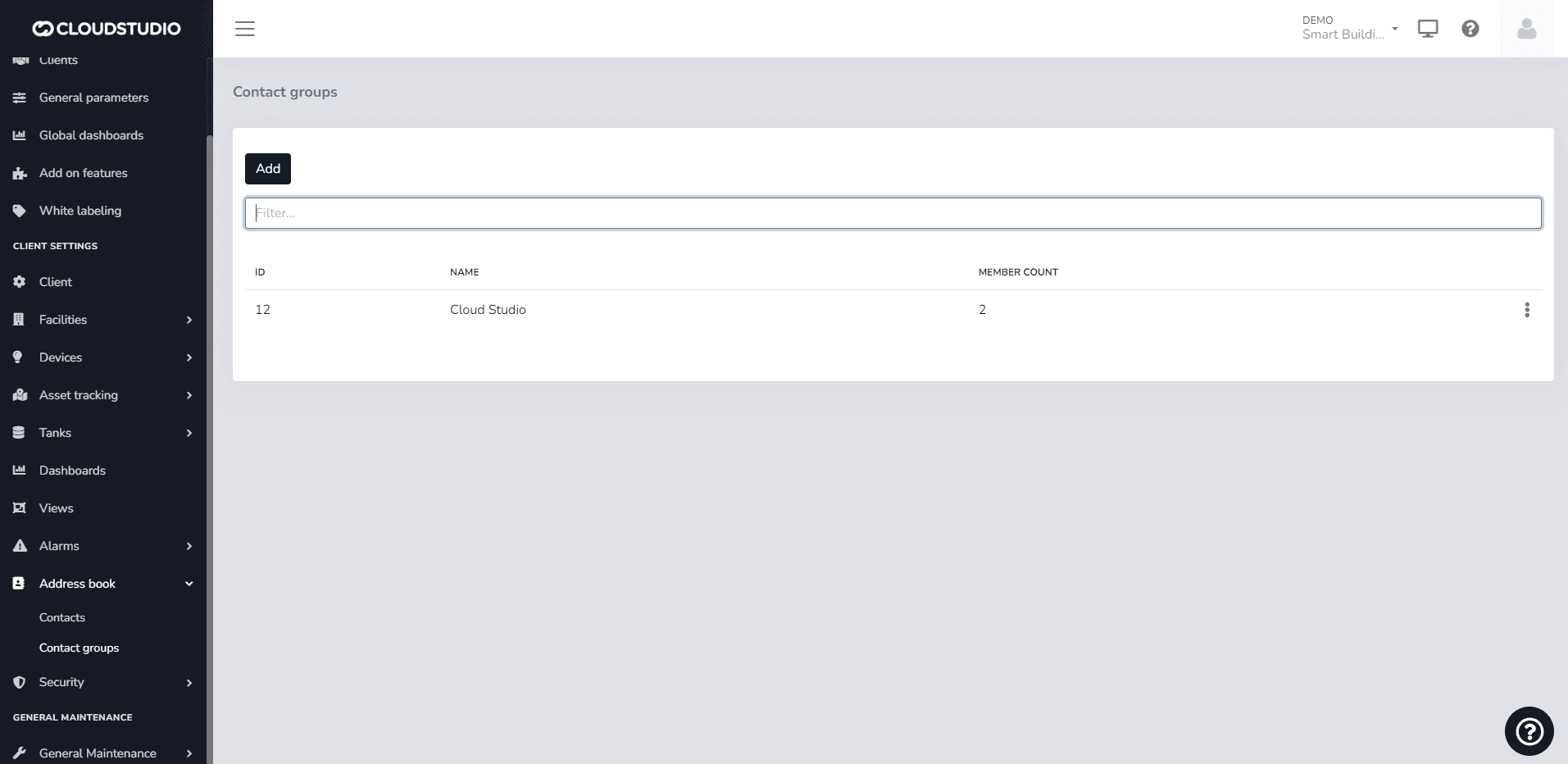
Example of a group preloaded in the Address Book
Zuletzt aktualisiert am
Variablen für Warnungsbenachrichtigungen
Alerts are applied to endpoints and allow you to define acceptable value ranges so that alarms are automatically generated when values fall outside these thresholds...
Sprach- und SMS-Dienste
Sprach- und SMS-Benachrichtigungsdienste sind mit Kosten verbunden. Der Benutzer kann Meldungen im Benachrichtigungs-Tab innerhalb von Alarmen und Alarmtypen einsehen, die über den...