Dingtek DO201 LoRaWAN decoder and payload format
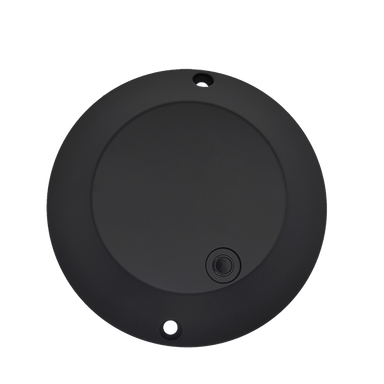
The Dingtek DO201 is a LoRaWAN parking sensor that reports level, vehicle detection, temperature and humidity. It is rated IP68, it runs on a replaceable ER26500*3 battery and it works from -20 to 70 °C.
Payload format
An uplink from the device as it arrives at the network server, and what the official decoder returns for it. Examples come from the decoder's own test cases.
Example 1 · fPort 3
Payload (hex)
80 00 31 02 17 06 B4 00 00 01 61 00 10 FF F6 FF F0 8B 2D 00 01 00 81Decoded (JSON)
{
  "level": 1716,
  "volt": 3.53,
  "alarmPark": false,
  "alarmLevel": false,
  "alarmMagnet": false,
  "alarmBattery": false,
  "xMagnet": 16,
  "yMagnet": -10,
  "zMagnet": -16,
  "temperature": -117,
  "humidity": 45,
  "frameCounter": 1
}| Field | Value |
|---|---|
| level | 1716 |
| volt | 3.53 |
| alarmPark | false |
| alarmLevel | false |
| alarmMagnet | false |
| alarmBattery | false |
| xMagnet | 16 |
| yMagnet | -10 |
| zMagnet | -16 |
| temperature | -117 |
| humidity | 45 |
| frameCounter | 1 |
Specifications
- Manufacturer
- Dingtek
- Model
- DO201
- Type
- Parking sensor
- Measures
- level, vehicle detection, temperature, humidity
- Protection
- IP68
- Battery
- ER26500*3 (replaceable)
- Operating temperature
- -20 … 70 °C
- LoRaWAN regions
- EU863-870, US902-928, AU915-928, AS923, IN865-867, CN470-510, RU864-870
Connect it to Cloud Studio IoT
- 1
Register the device in your network server
Add it to The Things Stack, ChirpStack, Actility ThingPark or LORIOT with its DevEUI, JoinEUI and AppKey and the frequency plan of your region.
- 2
Apply the decoder
In The Things Stack, pick the model from the device repository and its decoder is applied for you. In ChirpStack v4, paste the official decoder as the device profile's JavaScript codec.
- 3
Connect the network server to Cloud Studio IoT
Set up the integration once per network server; every device registered there then reaches Cloud Studio IoT with its decoded values.
- 4
Build dashboards and alarms
The decoded fields become device variables for dashboards, alarms by email or SMS, and scheduled reports.
See your Dingtek DO201 on a dashboard
Start a free trial, add the device with its DevEUI and get dashboards and alarms from its next uplink.
Frequently asked questions
Device facts and decoder examples: The Things Network Device Repository (Apache-2.0) · commit 7693223, imported 2026-10-05.