Hardware
Raspberry Pi IoT
Raspberry Pi in IoT projects: models (Pi 5, Zero 2W, CM4), use as an MQTT gateway and edge node, GPIO, and when it beats an MCU.
Raspberry Pi IoT
Updated: 2026-05-24
Executive summary
- Raspberry Pi IoT: the SBC from the Raspberry Pi Foundation that runs full Linux, with versions from ~15 USD (Zero 2W) up to the Pi 5 with a quad-core Cortex-A76 CPU at 2.4 GHz and PCIe support.
- In the context of IoT it doesn't act as a microcontroller (MCU) but as a gateway, edge node, or data concentrator: it aggregates, processes, and routes messages from sensors/MCUs to the cloud or to local services.
- Relevant models: Raspberry Pi 5 (maximum performance, 4/8 GB RAM), Pi Zero 2W (ultra-compact, Wi-Fi+BT), Compute Module 4/5 (OEM integration).
- A 40-pin GPIO header (I2C, SPI, UART, PWM) lets you connect sensors and peripherals directly; for sub-GHz radio or BLEBTermBluetooth Low Energy (BLE)Bluetooth Low Energy (BLE) is the low-power variant of Bluetooth, for sending small amounts of data intermittently with minimal battery. It dominates wearables and proximity. Maintained by the Bluetooth SIG.View profile you add HATs or USB dongles.
- When NOT to use it: ultra-low-power battery applications (the SoC draws ~600 mW when active), projects that require strict real-time without an RTOS, large-scale deployments of sensor nodes where cost and power consumption are limiting factors.
- Cost reference: Pi Zero 2W ~15 USD, Pi 4B 2 GB ~45 USD, Pi 5 4 GB ~60 USD, CM4 from ~25 USD depending on configuration.
What the Raspberry Pi is and what sets it apart from an MCU
The Raspberry Pi CompanyRaspberry PiSingle-board computers and RP2040/RP2350 microcontrollersView profile is an SBC (Single-Board Computer): it has an applications processor (ARM Cortex-A), DRAM, eMMC/microSD storage, Ethernet, USB, and display connectors. It boots a full operating system—Raspberry Pi OS (Debian), Ubuntu, or any ARM Linux distribution—and can run user-space processes like any server.
This sets it radically apart from the ESP32 or the nRF52840, which are microcontrollers without an MMU, without a full file system, and with a main() loop. The right comparison in IoTITermIoT (Internet of Things)The IoT (Internet of Things) is the network of physical objects with sensors, software and connectivity that collect and exchange data and act autonomously.View profile is:
| Dimension | MCU (ESP32, nRF52840) | SBC (Raspberry Pi) |
|---|---|---|
| OS | Bare-metal or RTOS | Full Linux |
| RAM | 256 KB – 8 MB | 512 MB – 8 GB |
| Active consumption | 80-250 mA | 300 mA – 3 A |
| Hard real-time latency | Yes (no preemptive OS) | No without PREEMPT-RT |
| Cost | 2-15 USD | 15-70 USD |
| Role in IoT | Sensor / actuator node | Gateway / edge server |
| Complex OTA updates | Difficult | Standard (apt, Docker) |
The Pi doesn't replace the MCU at the sensor node; it complements it at the gateway or edge layer.
Models relevant to IoT
Raspberry Pi 5
The flagship since 2023. A quad-core Cortex-A76 CPU at 2.4 GHz, up to 8 GB of LPDDR4X-4267, a PCIe 2.0 connector for NVMe or specialized HATs. Relevant in IoT for:
- Local edge AI (inference with lightweight models over sensor streams).
- A node server with local databases (InfluxDB, PostgreSQL) and dashboards (Grafana).
- A local MQTT broker with ThingsBoard or Mosquitto.
Consumption: ~2.5 W idle, up to ~12 W under load. Requires a 27 W USB-C power supply.
Raspberry Pi Zero 2W
The ultra-compact version: a quad-core Cortex-A53 at 1 GHz, 512 MB of LPDDR2, 2.4 GHz Wi-Fi + Bluetooth 4.2 BLE, a camera connector. No Ethernet or native USB-A. Price ~15 USD.
IoT use cases: a single-point monitoring gateway, an IP camera, an MQTT ProtocolMQTTThe standard pub/sub protocol of IoTView profile data relay in areas without cabling. Idle consumption ~0.9 W.
Compute Module 4 / 5
No user ports (no HDMI, no USB-A): designed to be integrated into OEM hardware via a high-density connector. Optional eMMC (4/8/16/32 GB), optional Wi-Fi/BT. The CM4 carries the same SoC as the Pi 4B; the CM5 (launched in 2024) uses the Pi 5 chip.
For industrial IoT: third-party carrier boards (Waveshare, Waveshare Industrial, EDATEC) add CAN busCProtocolCAN busRobust serial bus for automotive and industryView profile, RS-485, COM ports, dual Ethernet, and DIN-rail mounting. They turn the CM into a custom industrial PLC/gateway.
Raspberry Pi 4B (still current)
4 × Cortex-A72 at 1.8 GHz, 1/2/4/8 GB of LPDDR4. It remains the workhorse of gateway projects thanks to its price (from ~35 USD) and mature ecosystem. The Pi 5 beats it in raw performance, but the 4B is easier to provision at medium volumes.
| Model | CPU | Max RAM | Wi-Fi | Ethernet | Ref. price |
|---|---|---|---|---|---|
| Pi Zero 2W | Cortex-A53 4c @1 GHz | 512 MB | 2.4 GHz + BT4.2 | No | ~15 USD |
| Pi 4B | Cortex-A72 4c @1.8 GHz | 8 GB | 2.4/5 GHz + BT5 | Gigabit | ~35-60 USD |
| Pi 5 | Cortex-A76 4c @2.4 GHz | 8 GB | 2.4/5 GHz + BT5 | Gigabit | ~60-80 USD |
| CM4 | Cortex-A72 4c @1.8 GHz | 8 GB | Optional | Via carrier | ~25-55 USD |
| CM5 | Cortex-A76 4c @2.4 GHz | 8 GB | Optional | Via carrier | ~45-75 USD |
GPIO and sensor connectivity
The Raspberry Pi's 40-pin GPIO header (present on the Pi 4B, Pi 5, Zero 2W, and CM via carrier) exposes:
- I2C (GPIO 2/3): buses for temperature and humidity sensors (BME280BHardwareBME280Temperature, humidity and barometric pressure sensorView profile, SHT40), accelerometers, RTCs, OLED displays.
- SPI (GPIO 7-11): for TFT displays, external ADCs (MCP3208), radio modules (RFM95W LoRa via HAT).
- UART (GPIO 14/15): serial communication with secondary MCUs, GPS modems (u-blox
 Companyu-bloxPositioning (GNSS) and cellular communication modulesView profile NEO-M8N), GSM modules.
 - PWM (GPIO 12/13/18/19): control of motors, servos, LEDs.
- Digital GPIO: 26 general-purpose pins.
For radios the Pi doesn't have out of the box (LoRa, Zigbee ProtocolZigbeeVeteran 2.4 GHz mesh — backbone of many smart home hubsView profile, Z-WaveZProtocolZ-WaveSub-GHz mesh for reliable home automationView profile), the HAT market covers most needs: RAK2245/2247 for LoRaWAN
 ProtocolLoRaWANOpen long-range, low-power LPWANView profile, a CC2531 USB dongle for Zigbee, an RFM95W HAT for 868/915 MHz.
GPIO access from Python
import RPi.GPIO as GPIO
import smbus2
import time

# Read the BME280 temperature over I2C
bus = smbus2.SMBus(1)
BME280_ADDR = 0x76

def read_temperature():
    # Uncompensated temperature register (simplified)
    raw = bus.read_i2c_block_data(BME280_ADDR, 0xFA, 3)
    adc_T = (raw[0] << 12) | (raw[1] << 4) | (raw[2] >> 4)
    return adc_T  # apply factory compensation in production

try:
    while True:
        temp_raw = read_temperature()
        print(f"Raw ADC temp: {temp_raw}")
        time.sleep(5)
finally:
    GPIO.cleanup()
The Raspberry Pi as an MQTT / IoT gateway
The most common use case in industrial and advanced home IoT: the Pi acts as a local MQTT broker (Mosquitto) and forwards telemetry to the cloud or processes it locally.
Typical architecture
[ESP32 sensor]  --MQTT--> [Mosquitto on Pi]  --MQTT bridge-->  [Cloud broker / ThingsBoard]
[nRF52 sensor] --BLE-->  [Pi gateway script] ---->            [Local InfluxDB + Grafana]
[LoRa sensor]  --SPI-->  [Packet forwarder]  --UDP-->         [ChirpStack on Pi]
Install Mosquitto on the Raspberry Pi
sudo apt update && sudo apt install -y mosquitto mosquitto-clients

# Minimal config: listen on the local network
cat /etc/mosquitto/conf.d/local.conf
# listener 1883 0.0.0.0
# allow_anonymous true   # LAN only; in production use TLS + password

sudo systemctl enable --now mosquitto
mosquitto_sub -h localhost -t "sensors/#" -v
Bridge to ThingsBoard Cloud
# /etc/mosquitto/conf.d/bridge.conf
connection thingsboard-bridge
address mqtt.thingsboard.cloud:1883
topic sensors/# out 1 "" ""
remote_username YOUR_ACCESS_TOKEN
This replicates every local message on sensors/# to the ThingsBoard account with zero additional code.
The Raspberry Pi in IoT edge computing
Beyond the MQTT gateway, the Pi lets you process data at the edge before sending it to the cloud. Concrete cases:
- Filtering and aggregation: instead of uploading 1 sample/second from 20 sensors, compute a moving average on the Pi and upload 1 data point/minute → a 98% reduction in traffic.
- Local ML inference: TFLite models over vibration data, camera images, or audio; the Pi 5 with the M.2 AI HAT+ (NPU) reaches ~26 TOPS.
- Resilient local storage: a local InfluxDB or SQLite acts as a buffer against connectivity loss; it syncs when the network returns.
- Near-real-time processing: with a patched PREEMPT-RT kernel you achieve interrupt latencies of ~200 µs, enough for many soft industrial control loops.
The concept of IoT edge computing is applied in practice with the Pi without needing proprietary industrial hardware.
Raspberry Pi vs MCU: when to choose each
| Scenario | Pi (SBC) | MCU (ESP32/nRF52) |
|---|---|---|
| Local MQTT broker | Yes | No (limited) |
| Sensor node + radio | No (excessive consumption) | Yes |
| Edge AI / inference | Yes | Only very small models |
| 5 years on a LiPo battery | No | Yes (with deep sleep) |
| Local web dashboard | Yes (Node-RED, Grafana) | No |
| 8-channel LoRa gateway | Yes (SX1302 HAT) | No (no multi-channel) |
| Industrial certification (IEC) | Difficult without a validated CM + carrier | Pre-certified modules available |
| Quick "sensor to MQTT" prototype | Overkill | Ideal |
When NOT to use the Raspberry Pi
- Battery-powered applications: even on the Zero 2W the minimum consumption is ~0.9 W idle, equivalent to draining a 3,000 mAh battery in ~3.3 hours. For battery-powered sensor nodes, use the ESP32 or the nRF52840.
- Strict hard real-time requirements (PID motor control at 10 kHz, quadrature-encoder reading): Linux does not guarantee deterministic latencies without PREEMPT-RT, and even then it doesn't reach a bare-metal MCU.
- Large-scale node deployments (>100 identical units): a cost of 30-60 USD per node plus the complexity of Linux management scales poorly; an MCU connected to a centralized gateway is more economical.
- Extreme environments without conditioning: a Pi operating between -40 °C and +85 °C requires industrial CM4 versions with certified carriers (EDATEC ED-CM4SEN) and isn't trivial.
- Single-node LoRaWAN connectivity on a low budget: the STM32WL
 HardwareSTM32WLTechnical guide to ST's STM32WL: a SoC with a sub-GHz LoRa radio on the same chip, Cortex-M4/M0+ and low power for LoRaWAN nodes.View profile with integrated LoRa at 3-8 USD is vastly more suitable.
Getting started: your first IoT gateway with a Pi
Minimum hardware
- Raspberry Pi 4B or Pi Zero 2W
- microSD ≥16 GB class 10 (or eMMC on the CM4)
- Official power supply (5V/3A for the Pi 4B, 5V/3A for the Pi 5)
- Ethernet cable or configured Wi-Fi
Initial headless setup
# On the PC: flash Raspberry Pi OS Lite (64-bit) with Raspberry Pi Imager
# Configure Wi-Fi and SSH before the first boot from the Imager (Advanced Options)

# First connection over SSH
ssh pi@raspberrypi.local

# Update the system
sudo apt update && sudo apt full-upgrade -y

# Install the basic IoT stack
sudo apt install -y mosquitto mosquitto-clients python3-pip python3-venv
pip3 install paho-mqtt RPi.GPIO smbus2 influxdb-client
A Python subscriber that stores to InfluxDB
import paho.mqtt.client as mqtt
from influxdb_client import InfluxDBClient, Point
from influxdb_client.client.write_api import SYNCHRONOUS
import json, os

INFLUX_URL = "http://localhost:8086"
INFLUX_TOKEN = os.environ["INFLUXDB_TOKEN"]
INFLUX_ORG = "plataformaiot"
INFLUX_BUCKET = "sensors"

client_influx = InfluxDBClient(url=INFLUX_URL, token=INFLUX_TOKEN, org=INFLUX_ORG)
write_api = client_influx.write_api(write_options=SYNCHRONOUS)

def on_message(client, userdata, msg):
    payload = json.loads(msg.payload.decode())
    point = (
        Point("telemetry")
        .tag("sensor", payload.get("id", "unknown"))
        .field("temperature", float(payload["temp"]))
        .field("humidity", float(payload["hum"]))
    )
    write_api.write(bucket=INFLUX_BUCKET, record=point)
    print(f"Stored: {payload}")

mqtt_client = mqtt.Client()
mqtt_client.on_message = on_message
mqtt_client.connect("localhost", 1883)
mqtt_client.subscribe("sensors/#")
mqtt_client.loop_forever()
Primary sources
- Raspberry Pi Foundation — Products (accessed: 2026-05)
- Raspberry Pi 5 datasheet (accessed: 2026-05)
- Raspberry Pi OS documentation (accessed: 2026-05)
Frequently asked questions
Is the Raspberry Pi a microcontroller?+
No. The Raspberry Pi is a single-board computer (SBC) that runs full Linux. A microcontroller (like the ESP32) has a main() loop, memory in KB, and no general-purpose operating system. The Pi sits one rung higher in the hierarchy: gateway, edge server, concentrator.
Which is the best Raspberry Pi model for IoT in 2026?+
It depends on the case. For a home gateway or a lab edge server: the Pi 4B or Pi 5 (more RAM and PCIe). For a compact gateway with space and power constraints: the Pi Zero 2W. For OEM integration into your own hardware: the Compute Module 4 or 5 with a custom carrier.
Does the Raspberry Pi support LoRaWAN?+
Not out of the box, but with a HAT such as the RAK2245 (SX1301 chipset) or the RAK7244 (SX1302/SX1303) it becomes a complete 8-channel LoRaWAN gateway running ChirpStack or Semtech's packet forwarder. It's one of the most economical ways to set up a private LoRaWAN infrastructure.
Can the Raspberry Pi act as an MQTT broker?+
Yes. Mosquitto runs perfectly on any Pi, including the Zero 2W. A Pi 4B with Mosquitto comfortably handles hundreds of simultaneous MQTT clients. For thousands of clients, a dedicated server is better.
Raspberry Pi vs ESP32: which should I use as a gateway?+
For a real gateway (one that processes data, runs services, has local storage, and updates software via apt or Docker), the Raspberry Pi is the obvious choice: Linux, multitasking, a mature ecosystem. The ESP32 can act as a very simple gateway (a Wi-Fi to MQTT relay) but with major limitations in RAM, storage, and processing capacity.
Is it possible to use a Raspberry Pi in industrial production?+
Yes, with the proper considerations: use a Compute Module 4/5 with a certified industrial carrier (EDATEC, Waveshare Industrial), eMMC storage instead of microSD, a filtered power supply, and an overlay or read-only file system to avoid corruption from power loss. It's not trivial, but it's done frequently.
Supported protocols

Related articles
MQTT Broker: What It Is, How It Works, Best Options 2026
An MQTT broker is the central messaging server of an IoT network: it receives the data that devices publish and distributes it to every subscribed application.
Jul 8, 2026

OpenClaw: The Self-Hosted AI Gateway for Complete Data Control
Every message you send to ChatGPT, every conversation with an AI assistant, passes through servers you do not control. For businesses handling sensitive data, developers building proprietary systems, or privacy-conscious users, this dependency on third-party infrastructure create
Apr 13, 2026
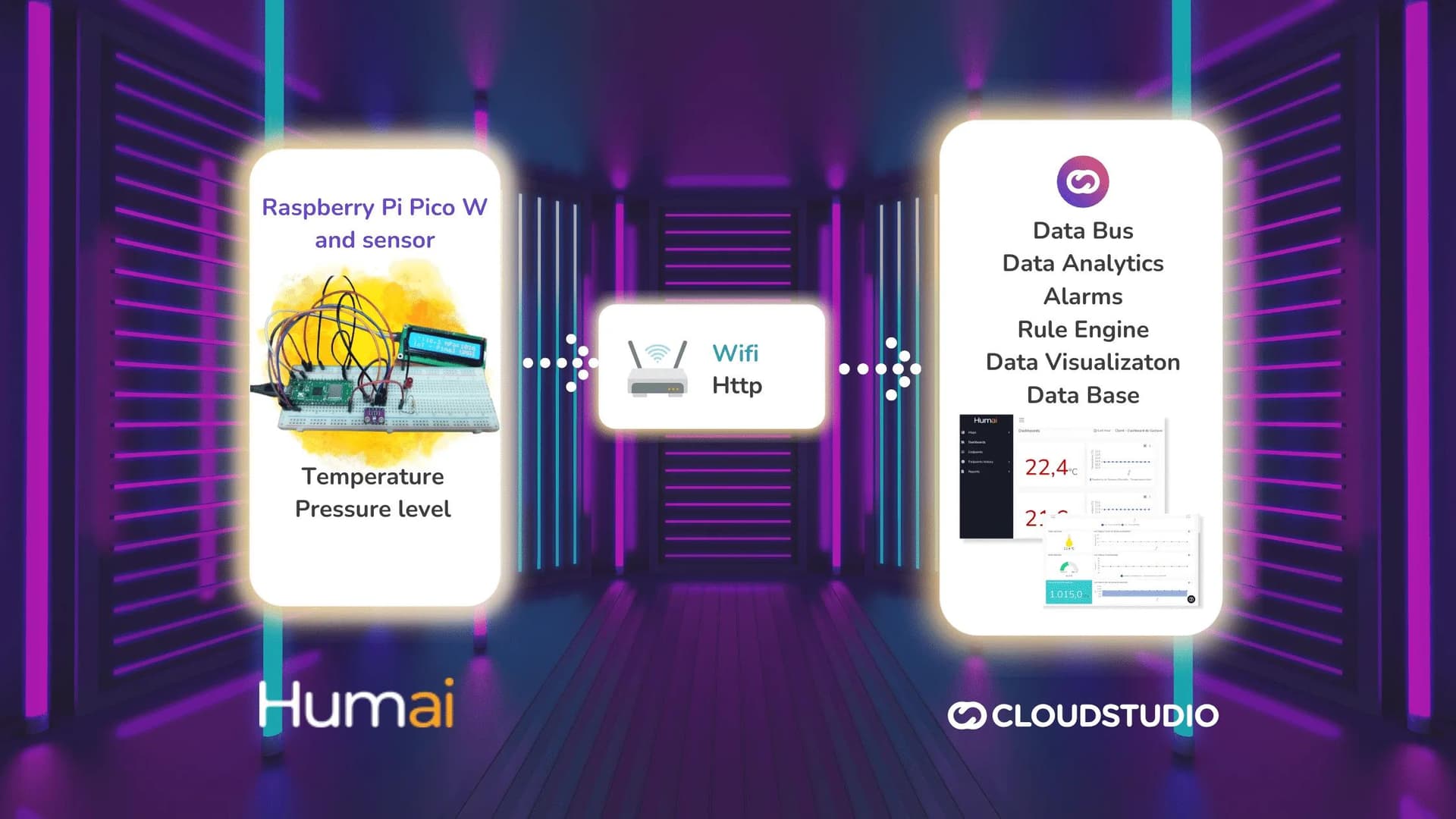
Cloud Studio IoT and Humai partner on IoT course tied to Raspberry Pi Pico W and MicroPython
Cloud Studio and Humai join forces to launch IoT course With the purpose of spreading the various domains covered by the Internet of Things (IoT) and its close relationship with other areas of knowledge, such as embedded systems and programming in modern languages like MicroPytho
Dec 1, 2023