

Facility Map
Introduction
The facility map allows you to view all client facilities that the user has permissions for.
Enabling the facility map
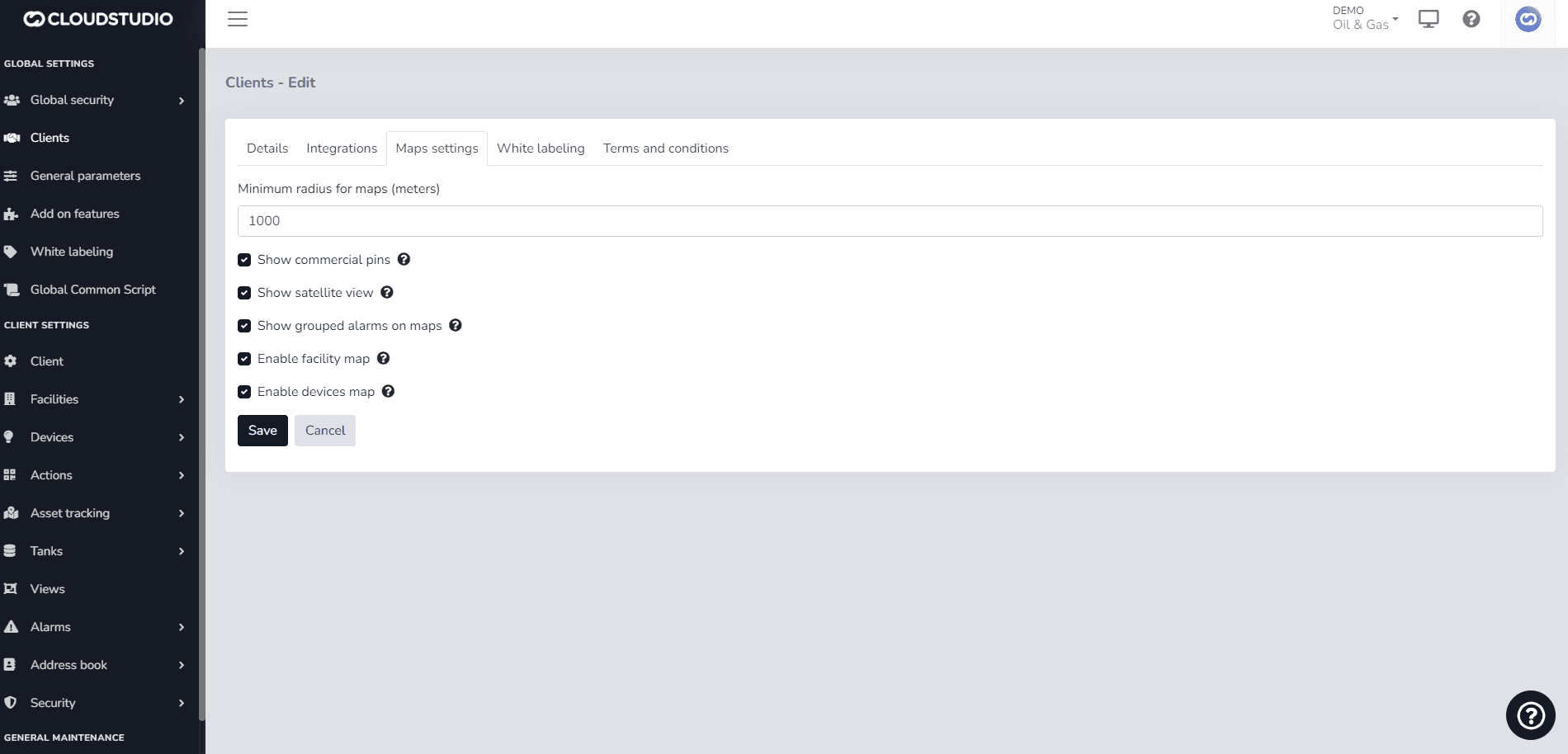
To enable this feature and display the facility screen in the monitor, you need to configure the client permission by checking the "Enable facility map" option as shown in the following image.
The side panel lists all client facilities and shows the status of each facility based on alarms. It provides quick access to the views, dashboard, endpoints, and alarms for each facility.
{/_ Imagen pendiente _/}
Last updated on