

Dynamic Widget Titles
Widgets with dynamic titles allow customizing the information displayed on the dashboard by using variables such as **{facility_desc}**, **{device_desc}**, and **{endpoint_desc}**. To use them, include them in the "Title" field when creating your widget and check the "Title" checkbox to enable this feature.
To learn how to create a Widget and add a title, we suggest visiting our Create Groups and Widgets page.
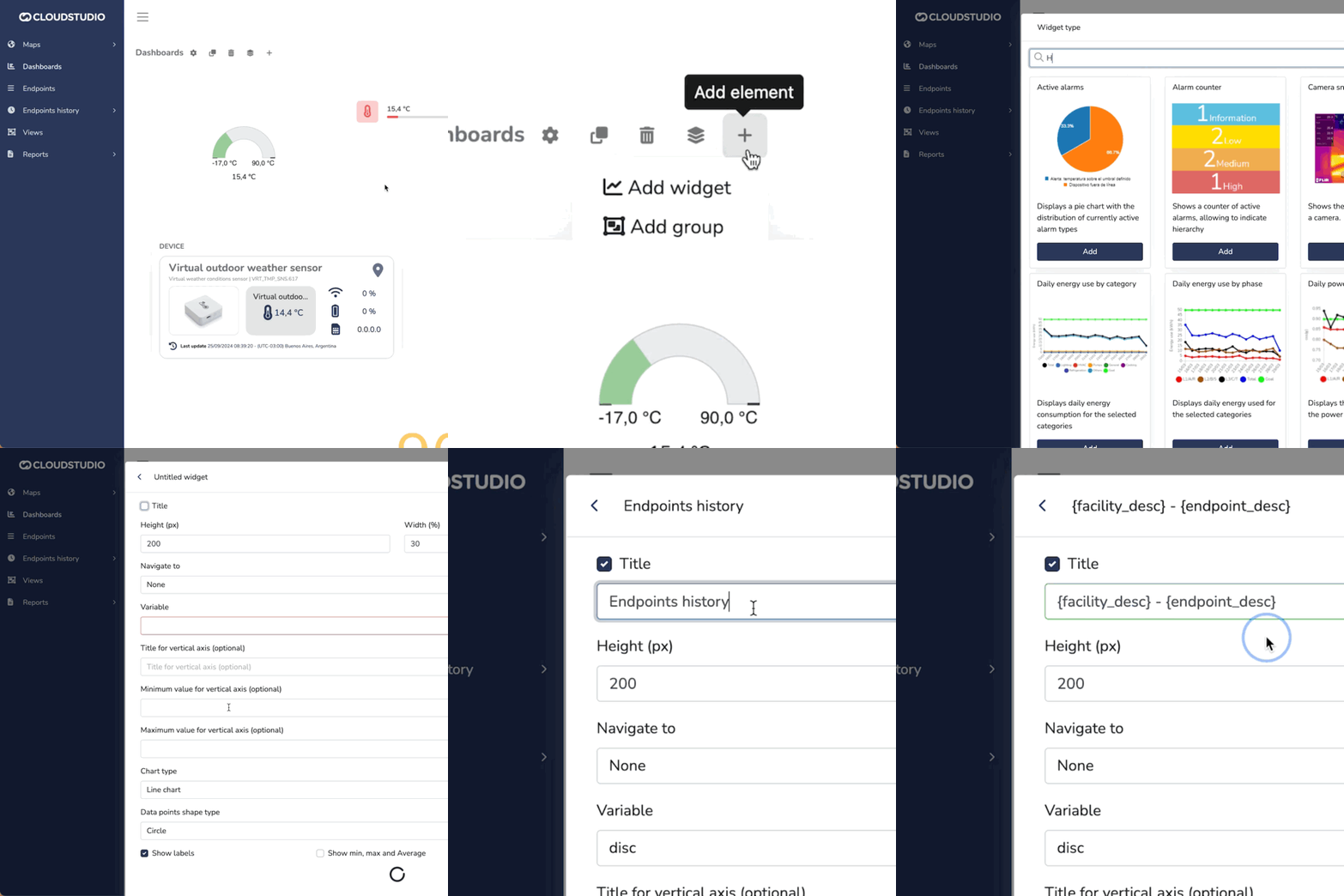
The variables entered in the title are automatically replaced with the name of the selected facility, device, or endpoint, making the title change dynamically. This helps avoid repeating generic information and provides a clearer, more relevant context for the displayed data.
| Variable | Description |
|---|---|
| {facility_desk} | Replaced with the name of the facility selected by the user upon logging in. |
| {device_desk} | Replaced with the name of the device being used in the widget. If no device is selected, it will use the device associated with the endpoint in use. |
| {endpoint_desk} | Replaced with the name of the endpoint selected in the widget. If there is more than one endpoint, the first one in the list is shown by default. |
These variables help display personalized and relevant information on the dashboard in a clean and automated way. Remember to use a Widget compatible with your desired variable.
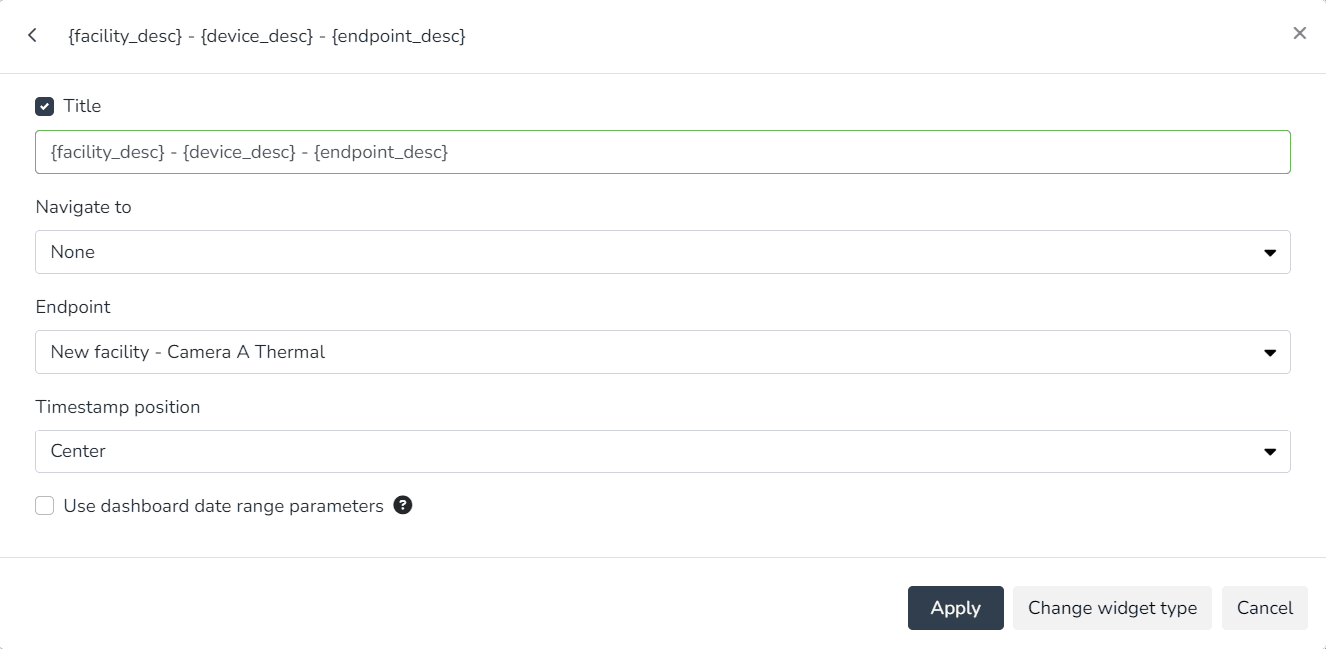
Example of creating a widget that uses all available variables, combining them in the title with spaces or optional special characters, such as the hyphen "-" in this case, to improve readability:
And how the variables appear once the changes are applied:
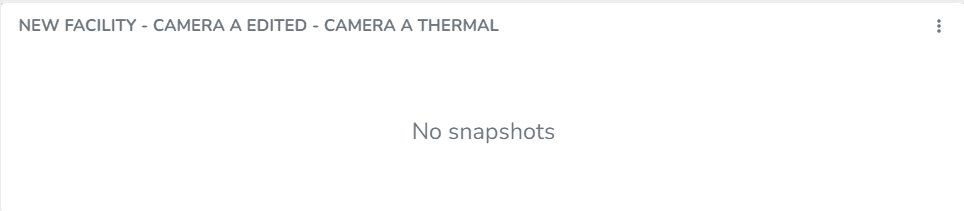
Widget display with dynamic titles.
Widgets that support this feature
| Widget type | Supports facility description variable - {facility_desc} | Supports device description variable - {device_desc} | Supports endpoint description variable - {endpoint_desc} | Notes |
|---|---|---|---|---|
| Past and projected energy costs | YES | NO | NO | |
| Past and projected energy consumption | YES | NO | NO | |
| Active alarms | YES | NO | NO | |
| Alarm counter | YES | NO | NO | |
| Energy consumption targets | YES | NO | NO | |
| Device | YES | YES | YES | |
| Comparative endpoint history | YES | YES | YES | If there are no endpoints selected on the left axis, it will look for the first selected endpoint on the right axis |
| Endpoint history | YES | YES | YES | |
| Energy consumption by category | YES | NO | NO | |
| Energy cost by category | YES | NO | NO | |
| Daily energy consumption by category | YES | NO | NO | |
| Energy consumption by phase | YES | NO | NO | |
| Daily consumption by phase | YES | NO | NO | |
| Latest events | YES | NO | NO | |
| Facility list | YES | NO | NO | The facilities selected in the widget are not considered; instead, the current facility selected by the logged-in user is used |
| Facility map | YES | NO | NO | The facilities selected in the widget are not considered; instead, the current facility selected by the logged-in user is used |
| Facility summary | YES | NO | NO | |
| Weather status | YES | NO | NO | |
| Global summary | NO | NO | NO | |
| Infrastructure | YES | NO | NO | |
| Daily maximum power | YES | NO | NO | |
| Occupancy | YES | YES | YES | |
| Plain text | YES | NO | NO | |
| View | YES | NO | NO | |
| Daily power factor | YES | NO | NO | |
| Daily average power | YES | NO | NO | |
| Individual alarm counter | YES | NO | NO | |
| Camera snapshots | YES | YES | YES | |
| State timeline | YES | YES | YES | |
| Static image | YES | NO | NO | |
| Linear variable gauge | YES | YES | YES | |
| Metrics | YES | YES | YES | |
| Rounded variable gauge | YES | YES | YES | |
| Vertical linear variable gauge | YES | YES | YES |
Last updated on