

Global Variable Replacement
This is the process by which a local variable (defined by a client) is removed and replaced by a global variable, applying this change across all devices, models, or environments where it was previously configured.
This action allows unifying and avoiding redundant or duplicate variables, centralizing environment configuration management, and simplifying maintenance.
Warning: This process is not reversible.
To perform this action:
- Go to client configuration -> Devices -> Variable Types
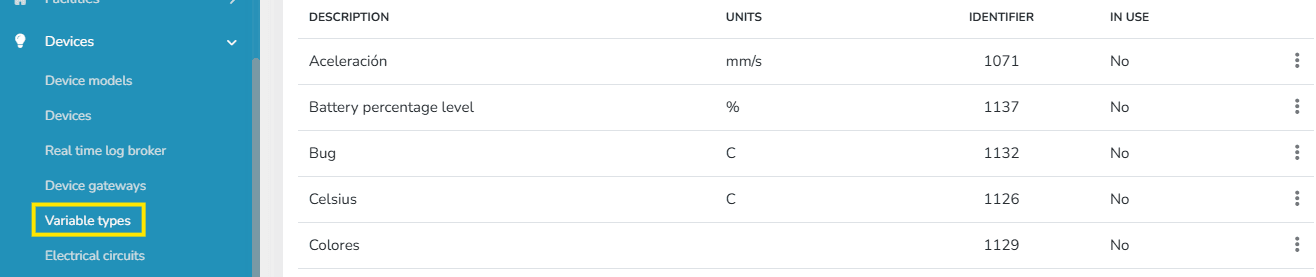
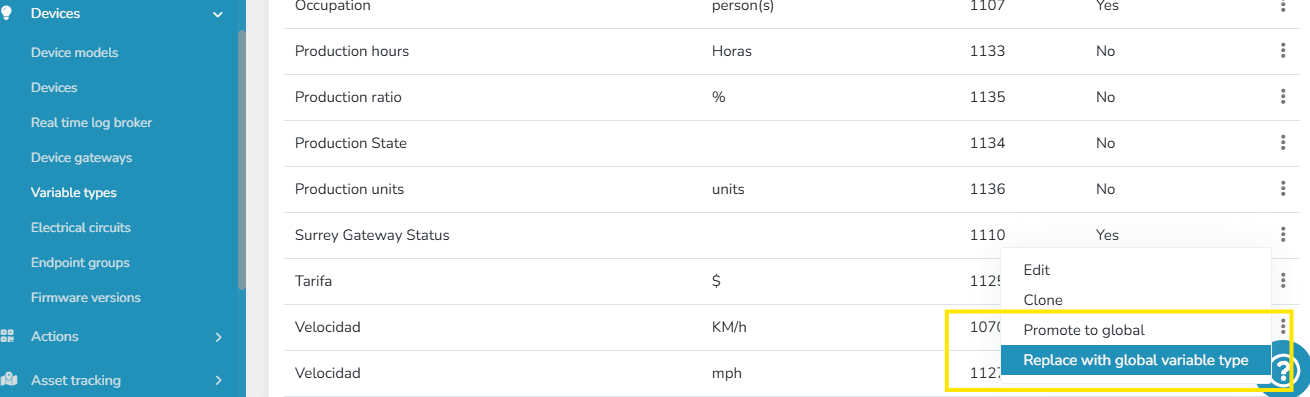
- Click on the context menu and select the Replace with Global Variable option.
- Once this option is selected, an informational message appears for confirmation of the local variable replacement, along with a selector showing all existing global variables in the instance.
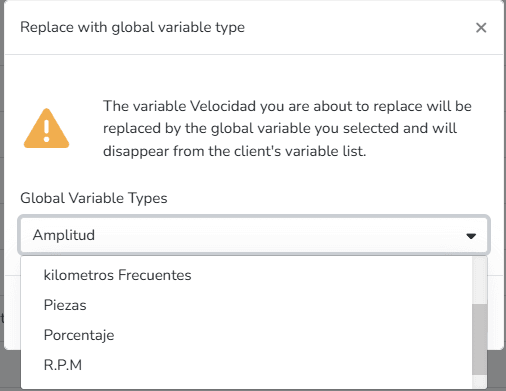
Warning: The global variables shown for replacement are only those of the same type as the local variable (e.g., a discrete local variable can only be replaced by a discrete global variable).
Warning: This process is not reversible.
Once this action is performed, the local variable ceases to exist in the variable types list. At the same time, it is replaced in Device Models, devices, scripts, and every location where the local variable previously existed.
Last updated on