

Local Variable Promotion
On the platform, variables can be defined at the client level (local) or at the global level (shared by all clients in an instance). This feature allows promoting a local variable to a global variable, facilitating its reuse across multiple contexts within the platform.
When a variable is promoted:
- It is removed from the local variables list of the client that originally defined it.
- It is added to the global variables list, available to all clients within the instance.
- It becomes available for use in device configuration for any client.
Warning: This action is not reversible.
How to Promote a Variable
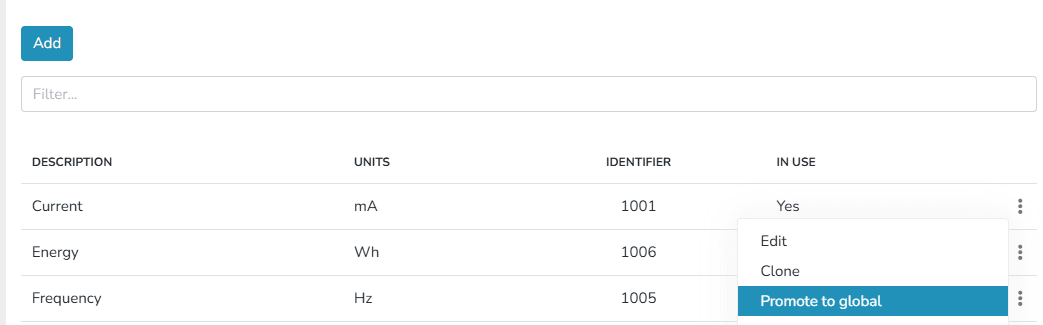
- Go to the client's Variable Types list.
- Click on the context menu of the desired variable.
- Select the Promote to Global option.
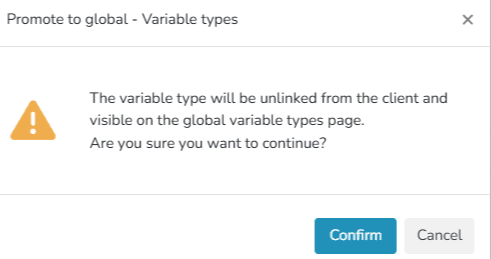
Promotion Confirmation
When selecting the option, the platform displays a warning indicating that the variable will move from the local scope to the global scope.
Once the action is confirmed:
- The variable will no longer be available exclusively to the original client.
- It will be included in the global variables list.
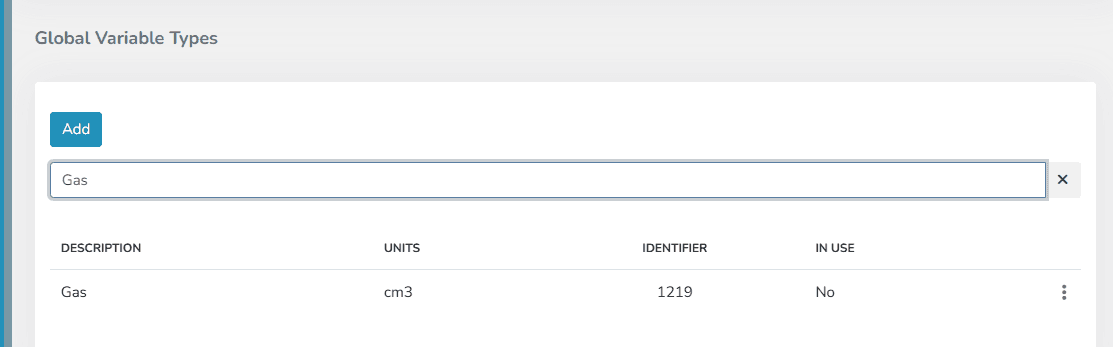
Post-Promotion Management
Promoted variables can be managed (edited, cloned, or deleted) in the same way as those originally created as global variables.
Last updated on