

Geographic Location
Report the Geographic Location of a Device
This method allows updating the current location of the device on the platform. Location history is not stored.
The HTTP device location update uses the following structure:
POST /services/gear/DeviceIntegrationService.svc/UpdateDeviceGeolocation HTTP/1.1
Host: gear.cloud.studio
Content-Type: application/json

{
	"accessToken": "xxxxxxxxxxxxxxxxxxxxxxxxxxxxxxxxxxxxxxxx",
	"deviceID": 1,
	"latitude": 40.4052,
	"longitude": -3.87699
}
Parameters
| Name | Description | Data Type |
|---|---|---|
| accessToken | Access token with permissions to update endpoint information. See this page for more information. | text |
| deviceID | Unique device identifier or device address in format [deviceAddress] (e.g.: [device-1234]). These values can be found on the device management page. | number |
| latitude | Indicates the latitude of the device's current location. | number |
| longitude | Indicates the longitude of the device's current location. | number |
Example
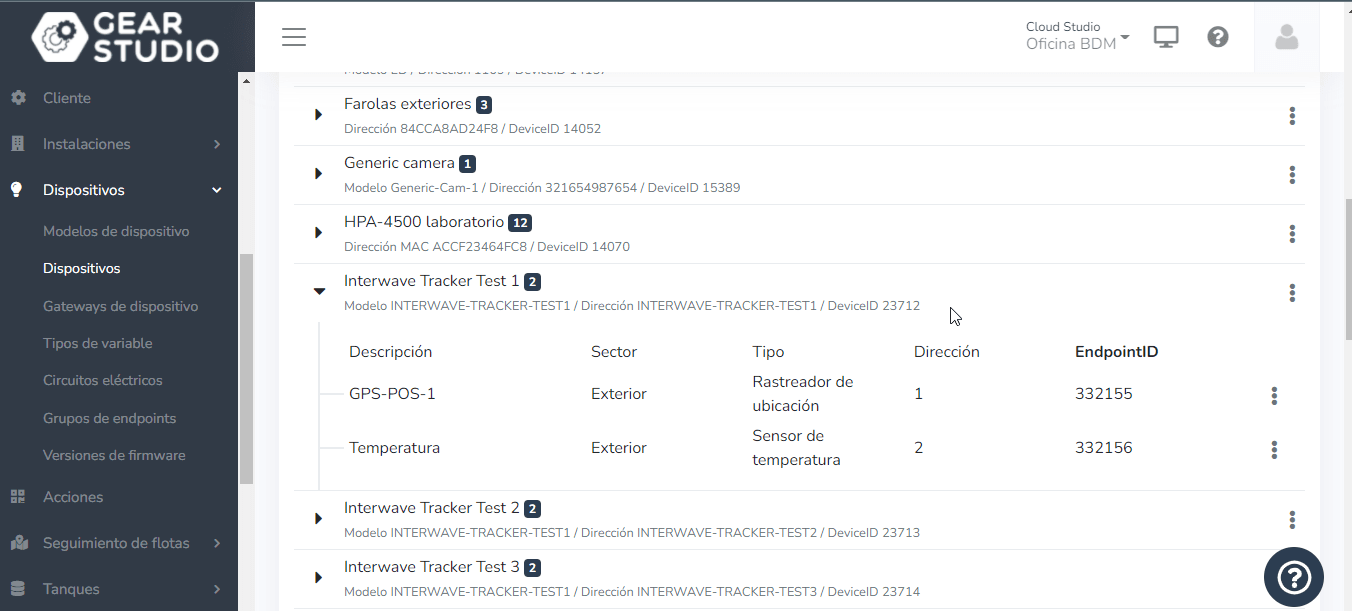
We choose a device to modify; in this case, we choose one named "Interwave Tracker Test 1". The parameter we need is the device's "DeviceID", which in this case is "23712".
Open Postman and use the "UpdateDeviceGeolocation" method, enter the accessToken, the DeviceId (which in this case is 23712), and then send the longitude and latitude of the device. Once the data is loaded, press "Send" and the device will change position.
_fac2.png&w=1920&q=75&dpl=dpl_87LH5cJ2L3jjsAK3mA5aYAZuUopg)
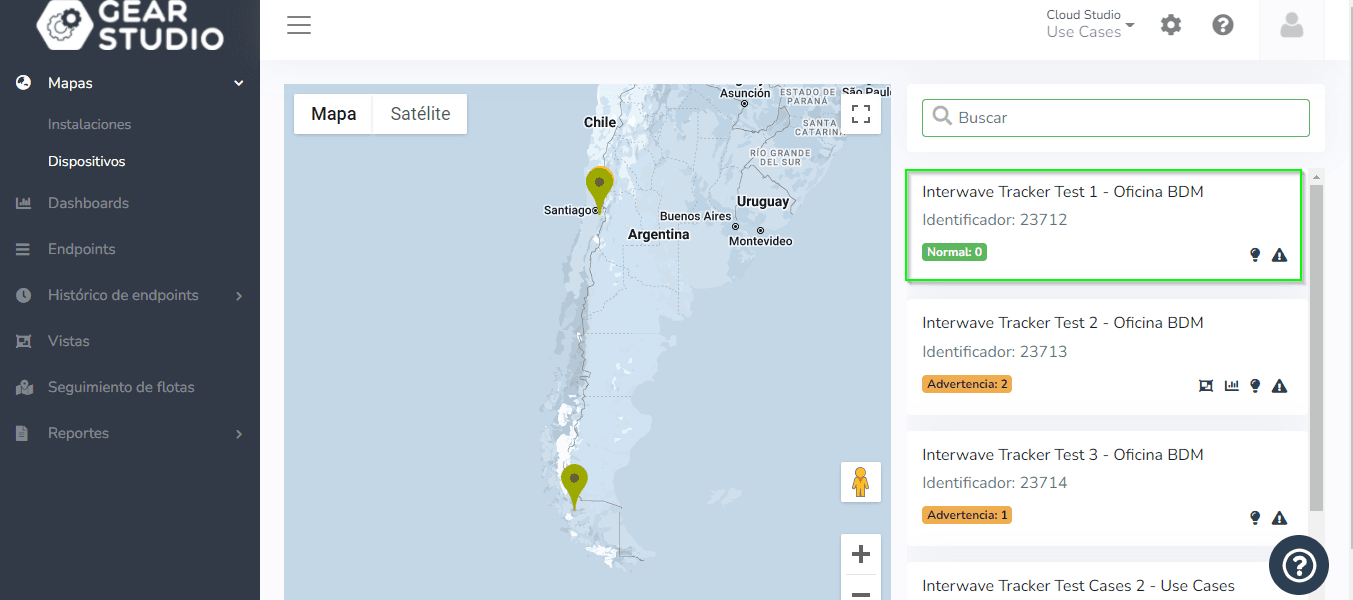
This position change can be viewed on the device map.
Last updated on