

Terms and Conditions
Introduction
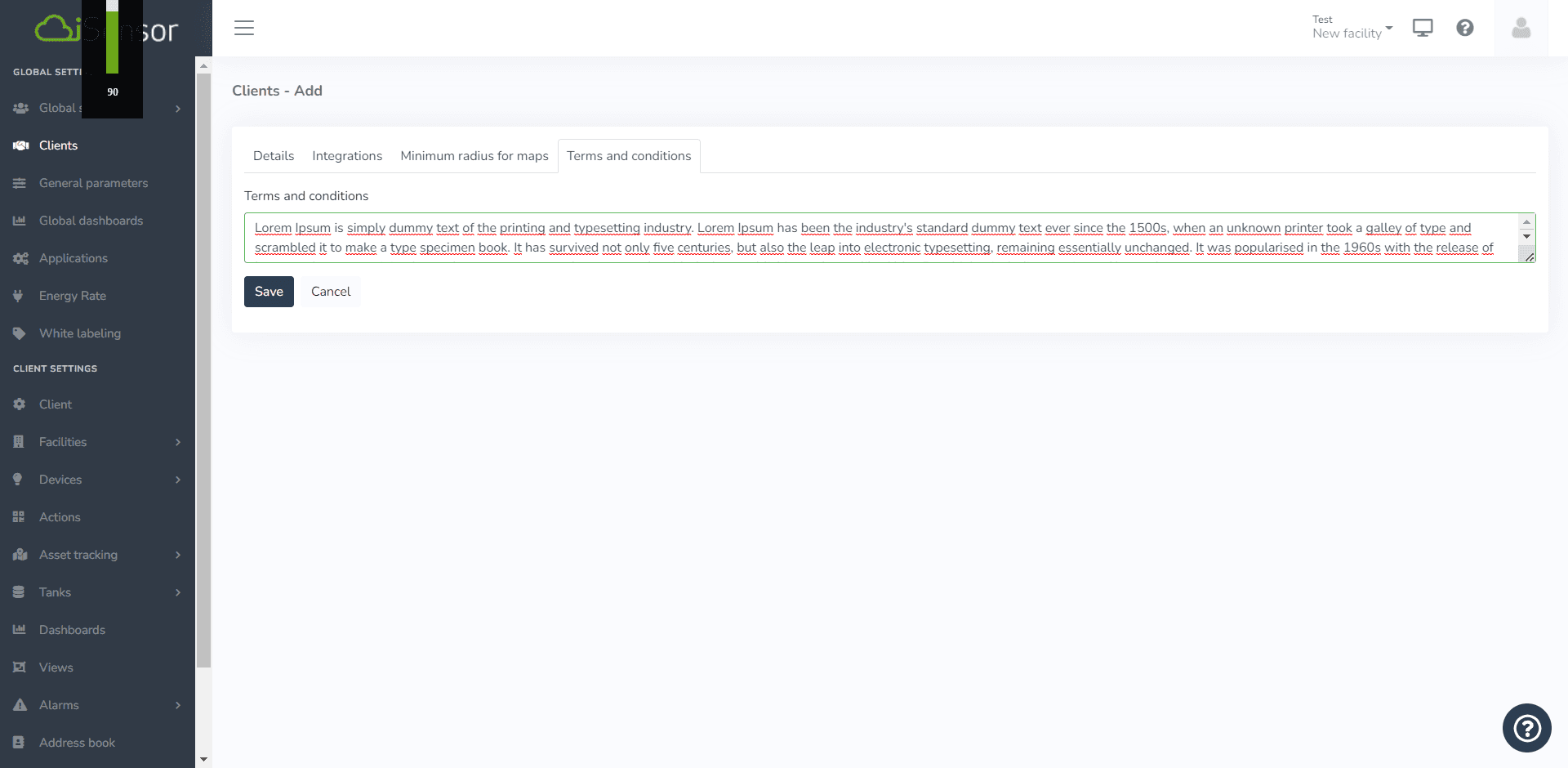
The platform allows creating terms and conditions with optional text for each client, specifying the terms and conditions that users must accept to use the applications with each client.
If no terms and conditions text is specified for a client, any user will be able to use the client without needing to read or accept any text.
To apply this feature, in the "Terms and Conditions" tab of clients, choose a text to use.
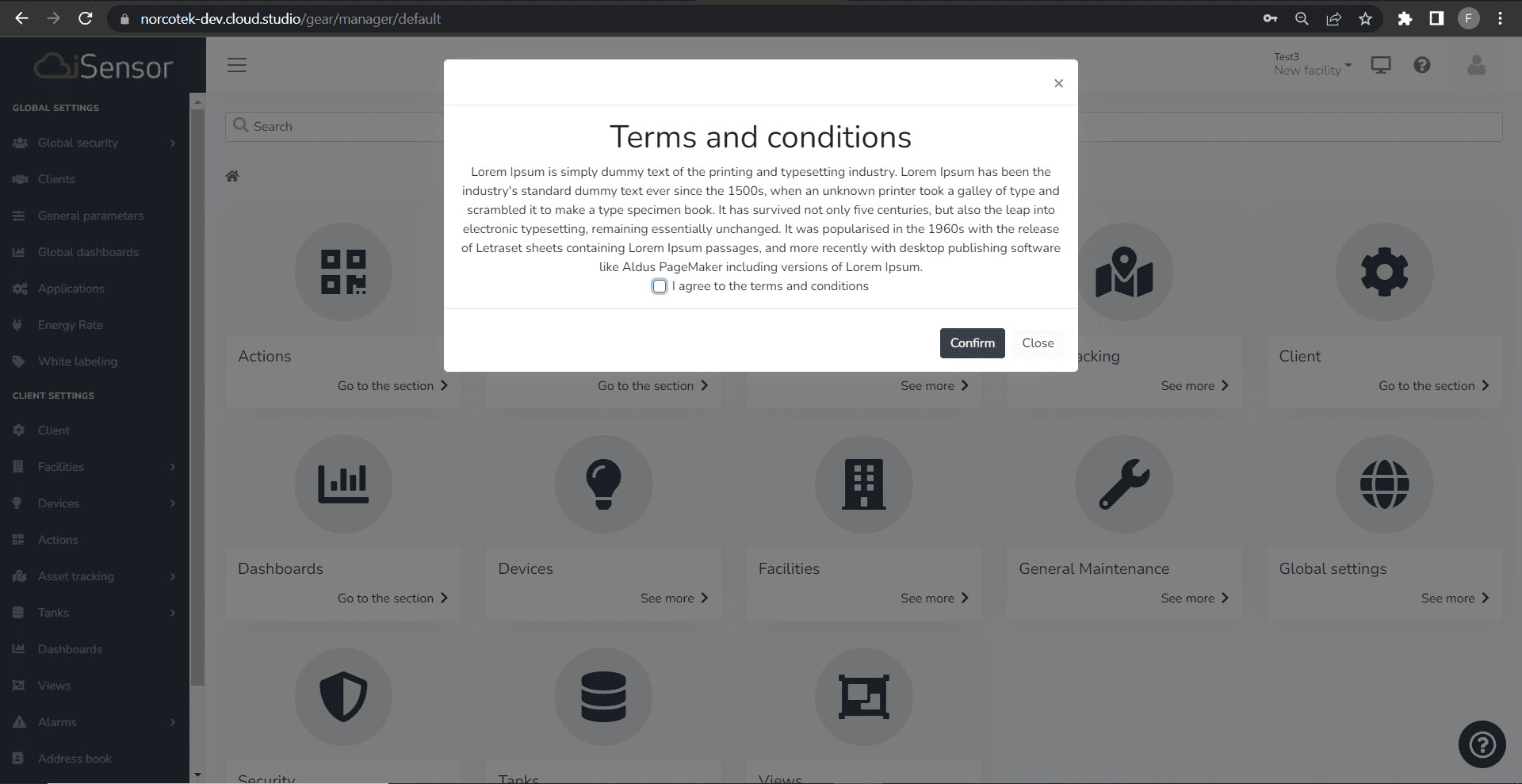
Once the client is created, when using the platform, the user must accept the "Terms and Conditions".
Last updated on