

Flexible Alarms
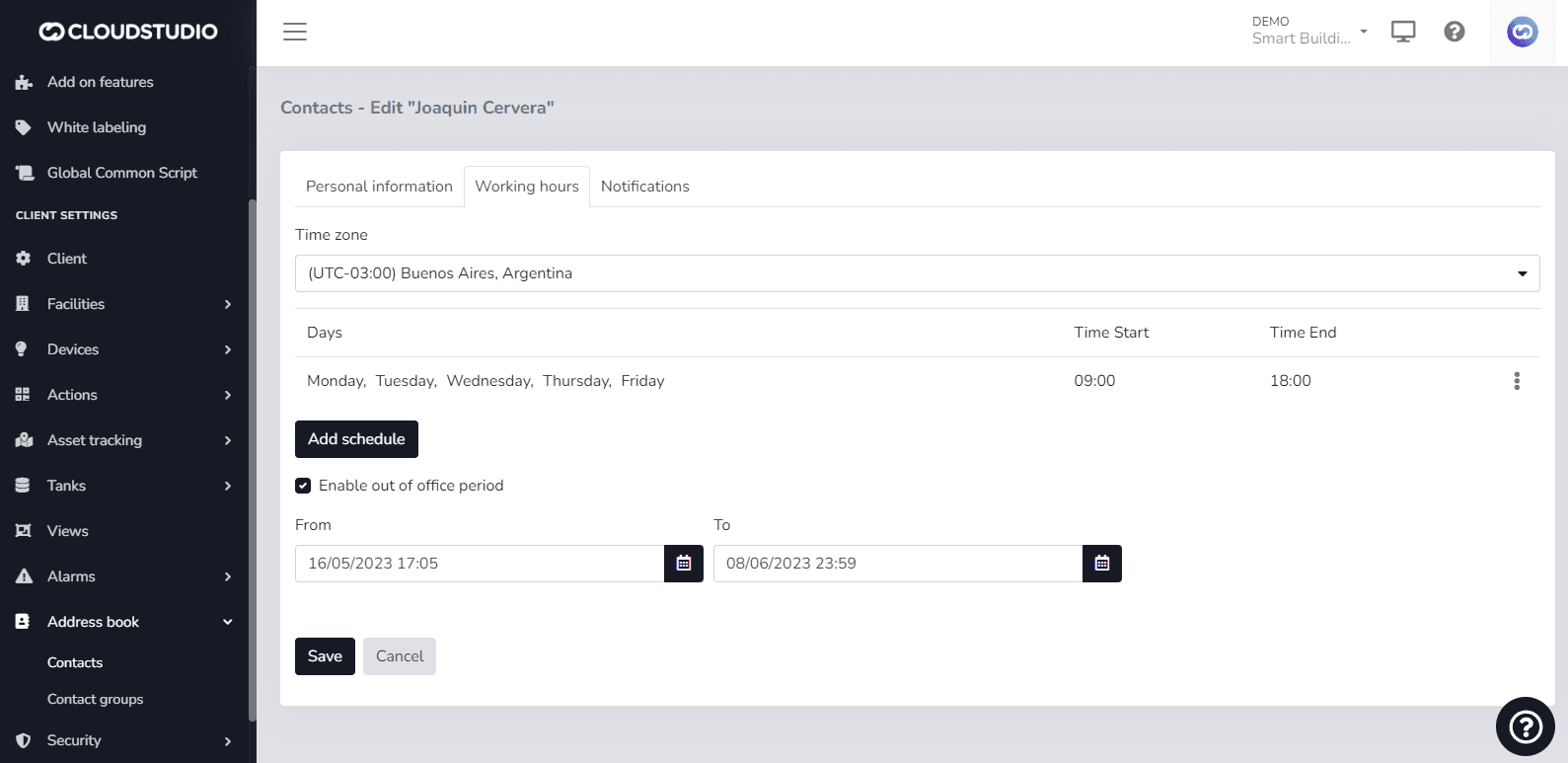
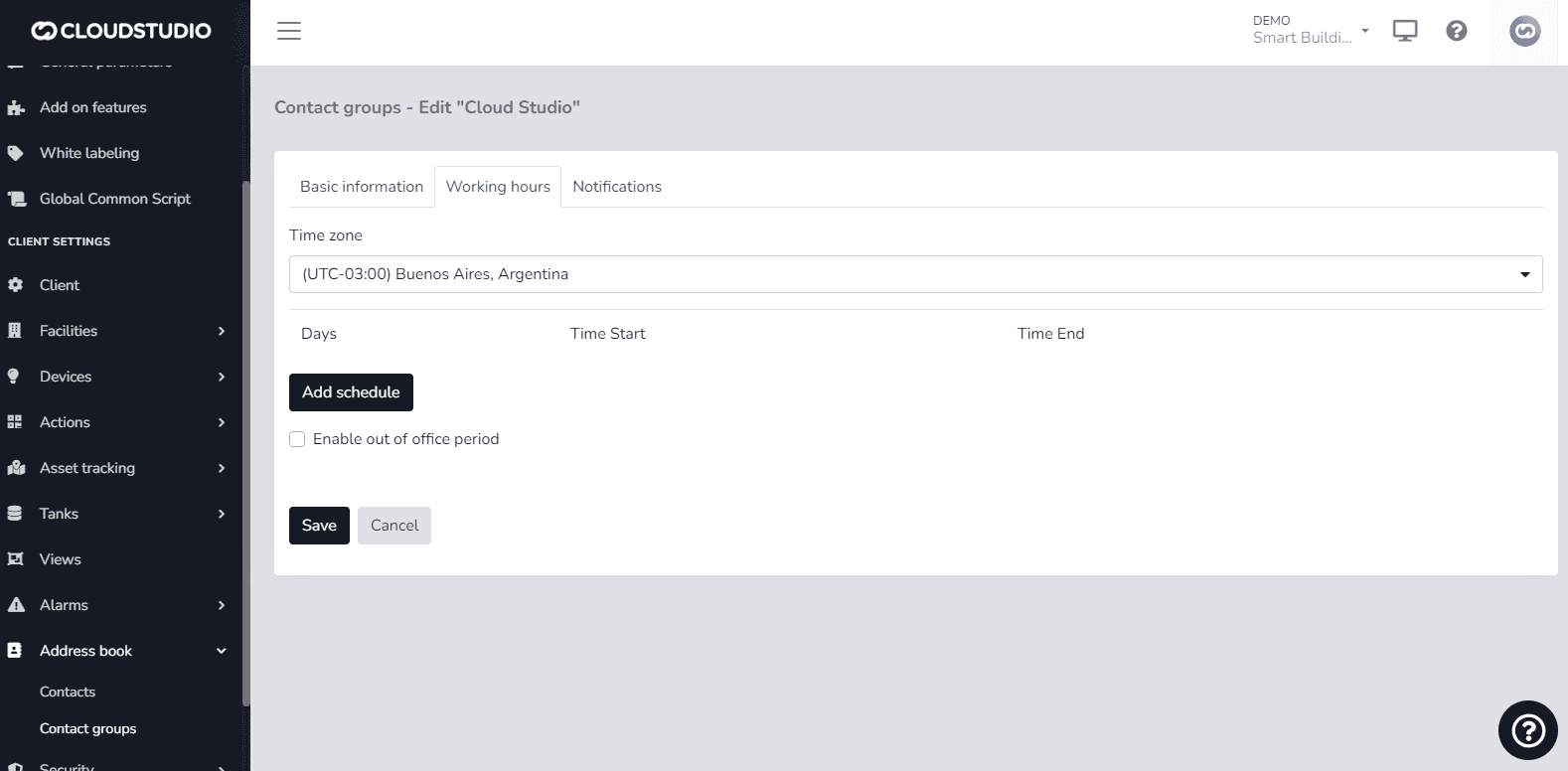
This feature aims to make notification delivery to contacts more flexible by allowing configuration of time zone, working days and hours, and vacation or out-of-office periods. This configuration can be applied at the contact or contact group level. This provides the ability to perform more precise configuration that helps make the notifications/alerts generated to specific contacts more effective.
Modify alarms by contact
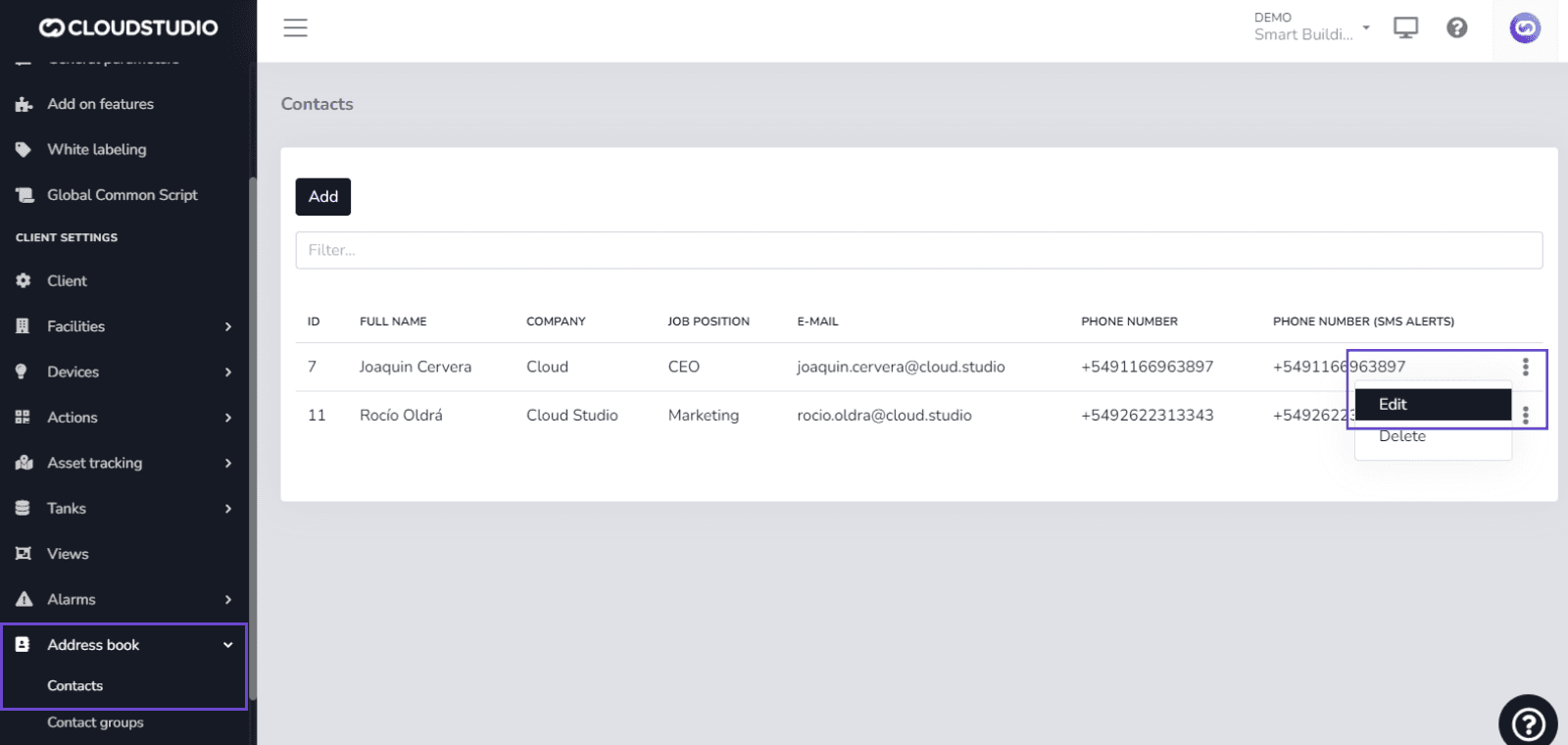
To modify notification delivery to a contact, navigate to the following path:
Navigation menu > Directory > Contacts > Working hours
Modify alarms by contact group
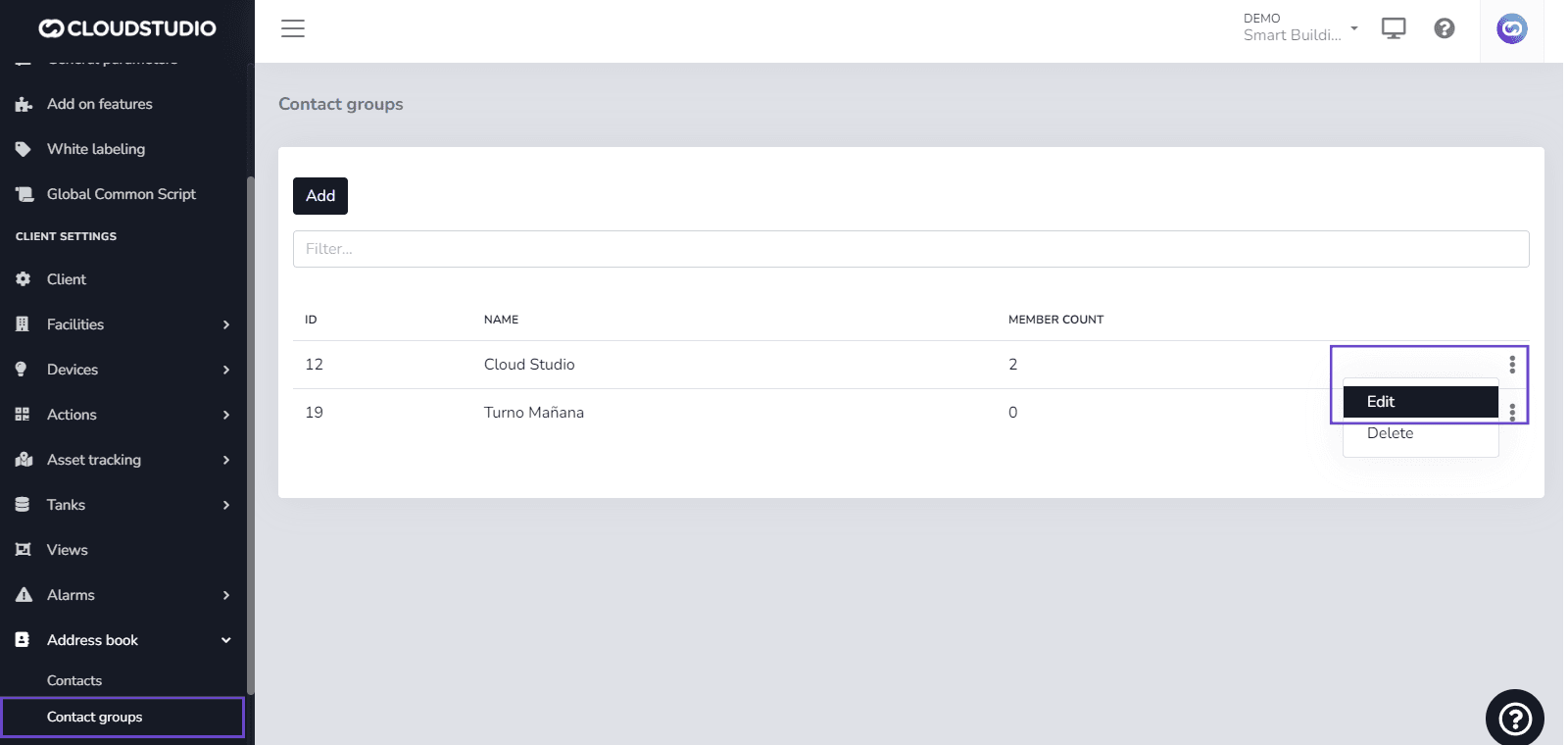
If you need to modify notifications for a contact group, navigate to:
Navigation menu > Directory > Contact Groups > Working hours
Last updated on