

Triggers
Triggers can be created for actions based on any event, including Calendar and State events. For each trigger, the user interface typically offers two options:
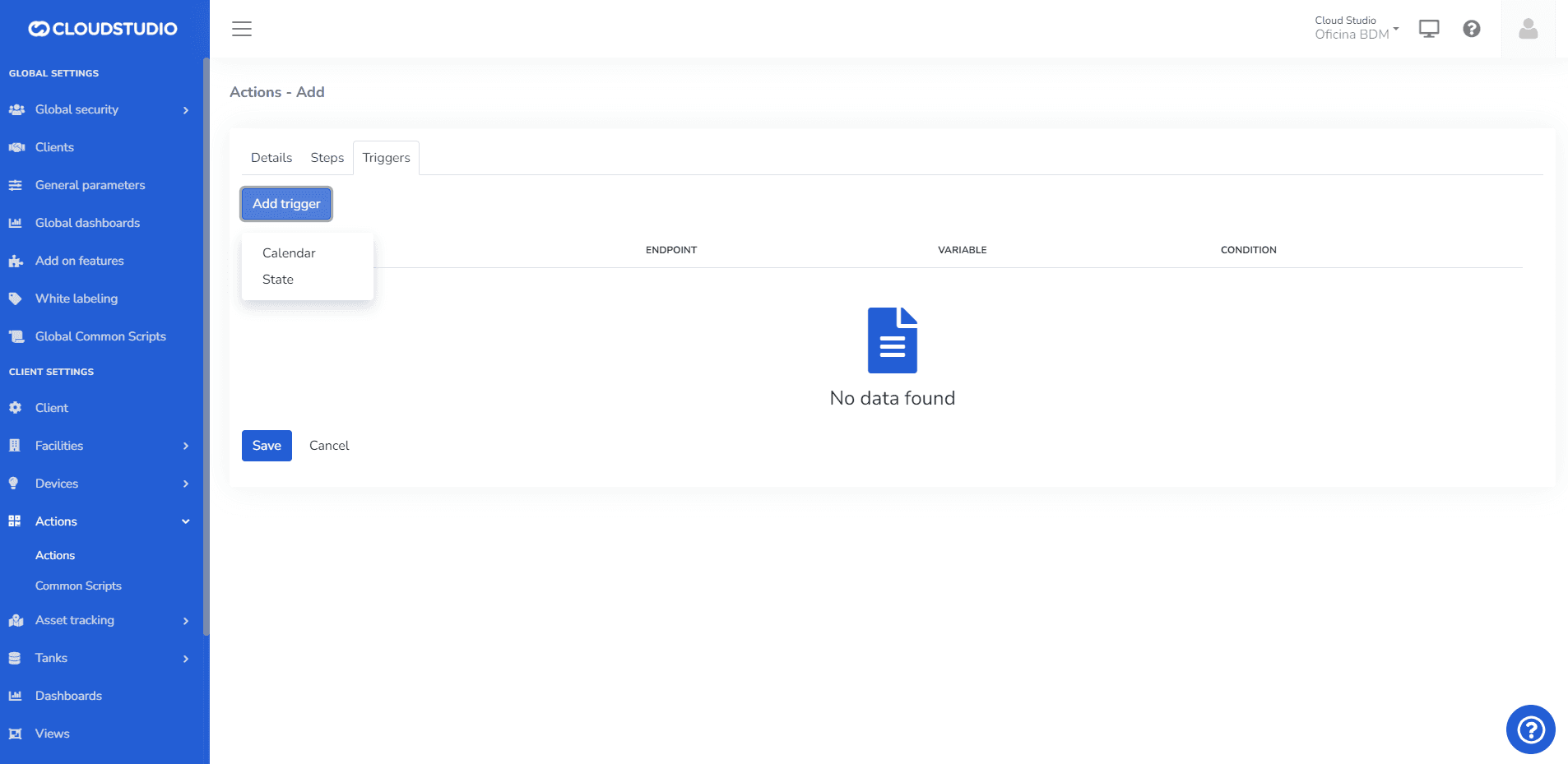
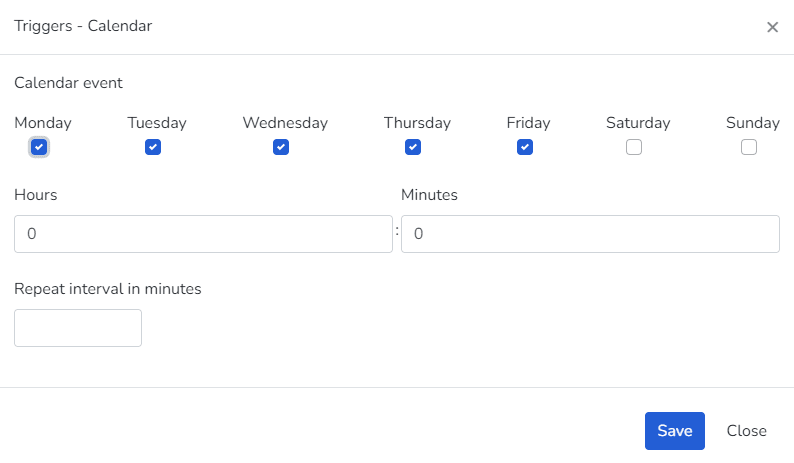
Calendar: In this case, the list of days of the week on which the event will be activated is presented, along with the corresponding time.
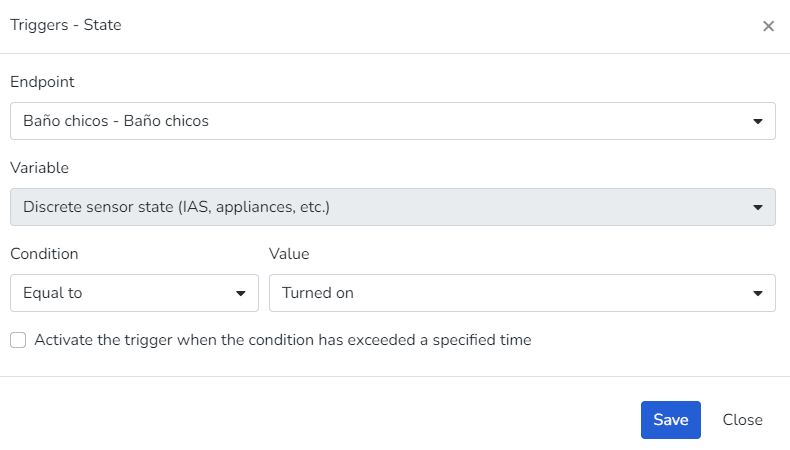
State: This option is basically the same as the one used for defining the firing threshold in the case of alerts.
An action can have multiple triggers, which means its execution will begin when any of these triggers fires.
Disabling triggers
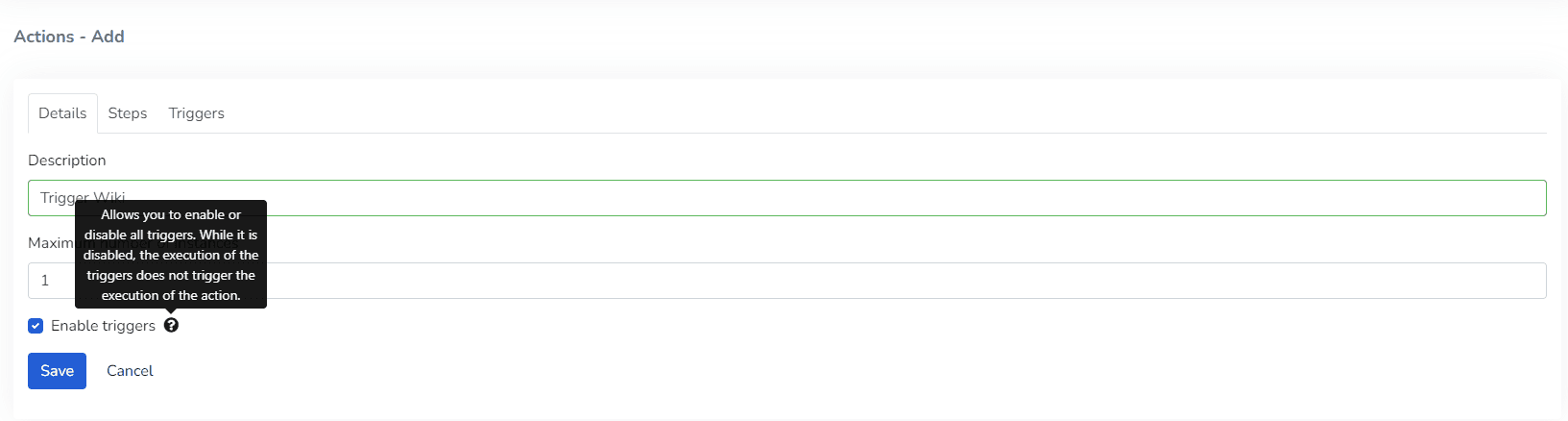
There is an action-level attribute that allows enabling or disabling all triggers. When the attribute is activated, trigger execution does NOT fire the action execution, so the action can only be executed manually or as a consequence of alerts, if applicable.
Trigger repetition frequency in minutes
From the Actions screen, in the main menu, when configuring an action you can access the creation/editing of a trigger. If the trigger is selected to be of type "Calendar", you can configure it to repeat at a configurable interval of minutes until the end of the day.
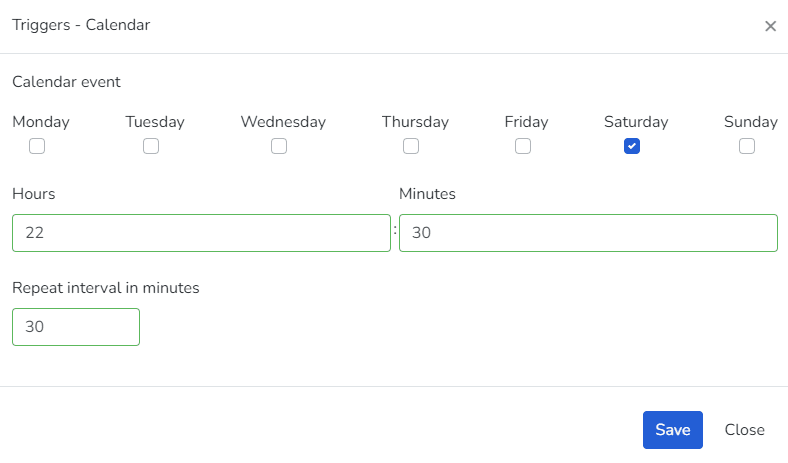
An example of this would be: Configure it to run on Saturdays at 10:30pm, then set it to repeat at a 30-minute interval, so it will execute at the following times: 10:30pm, 11:00pm, and 11:30pm.
Last updated on