

Promotion de modèle d'appareil
On the platform, device models can exist at the local level (specific to a client) or at the global level (available to all clients in the instance). This feature allows promoting a local device model to a global model, with the goal of reusing configurations across different clients.
When promoting a local model to global:
It is removed from the local models list of the original client.
It is added to the global models list, accessible by all clients in the instance.
It becomes available for creating new devices at the global level.
Warning: This process is not reversible.
How to Promote a Device Model
Go to the Device Models section of the original client.
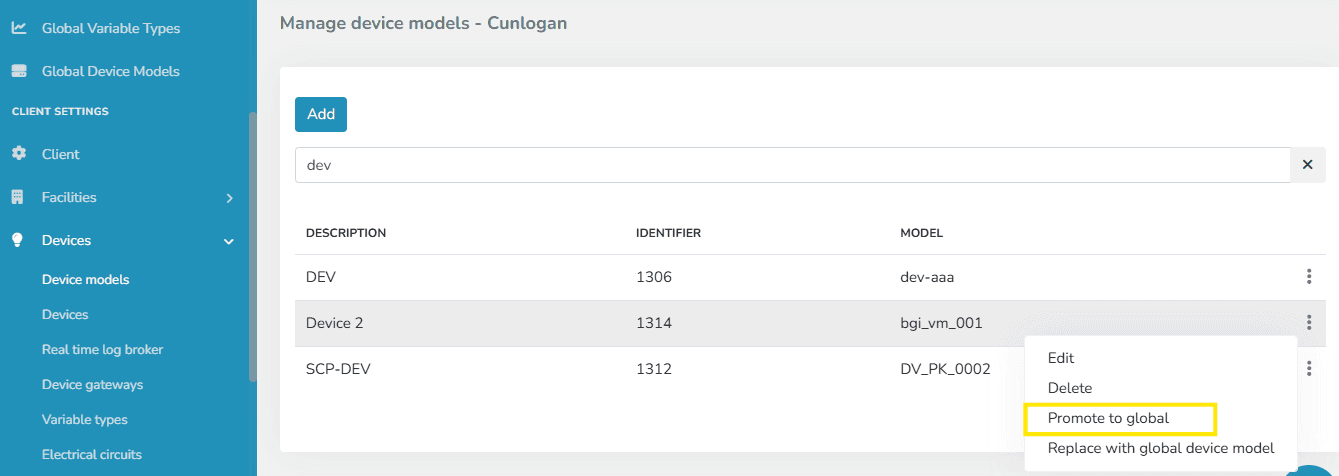
Right-click on the desired model to open the context menu.
Select the Promote to Global option.
Action Confirmation
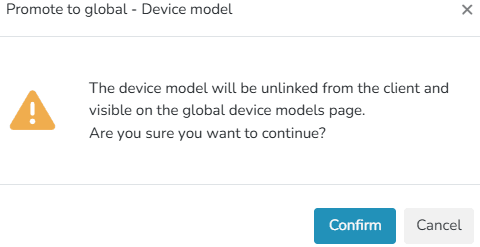
When selecting this option, a message will be displayed requesting confirmation of the action.
Promotion Result
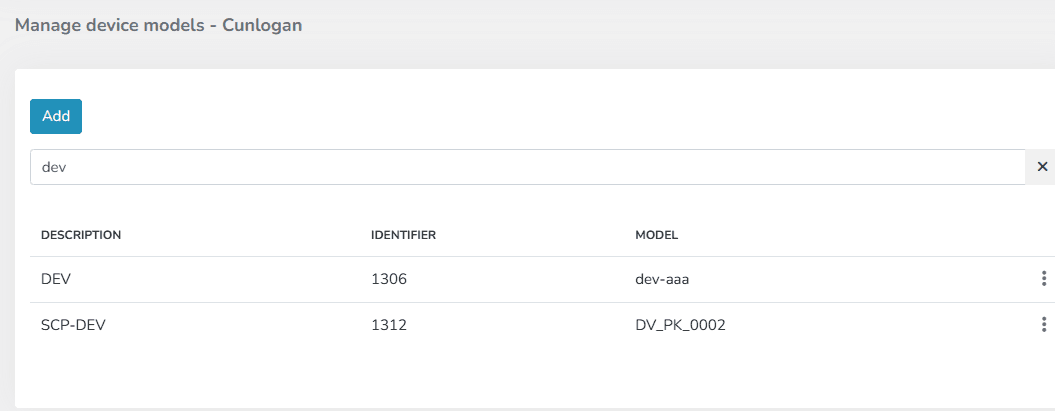
- The model will no longer be available in the client's local models list.
- It will be visible in the Global Device Models list.
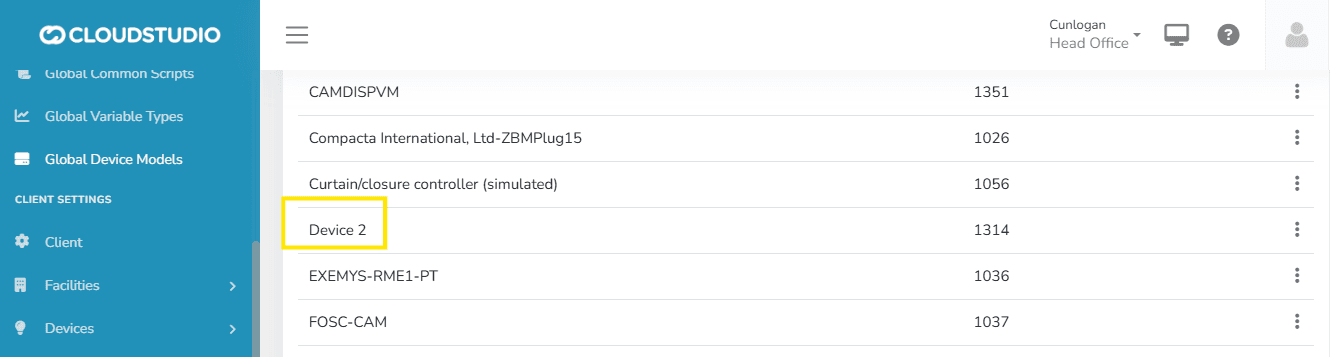
- It will be available to all clients in the instance when creating new devices.
This action can be performed on any device model belonging to a client.
Dernière mise à jour le
Création massive d'appareils (batch)
La fonctionnalité de création massive d'appareils permet aux utilisateurs de charger efficacement plusieurs appareils en utilisant un fichier CSV. Cet outil est particulièrement utile pour les installations à grande échelle, car il évite la saisie manuelle un par un, et permet même de combiner différents modèles d'appareil dans un seul fichier.
Real Time Log Broker
Real Time Log Broker est un service qui offre une visibilité en temps réel sur les événements de la plateforme liés au traitement des données depuis les appareils (Uplink) ainsi que sur l'envoi de commandes depuis la plateforme vers les appareils (Downlink) sous forme d'entrées de journal couvrant les intégrations qui implémentent MQTT ou l'API HTTP.